WebGPU vs WebGL for browser games is useful only when it improves a result the player can see, understand, and control. The W3C published a new WebGPU Candidate Recommendation Draft in June 2026, while MDN still marks the API as limited availability. WebGL works across modern browsers and remains a practical fallback; WebGPU offers lower-level control aligned with modern GPU APIs and first-class compute.
This guide is designed for browser-game engineers, technical artists, engine teams, and producers planning a new renderer or migration. It connects the current topic to the practical browser-ready 3D model optimization guide, giving readers a way to compare a public launch or known game-design pattern with a broader production workflow.
Elseland connects this editorial analysis with playable browser examples. The article uses first-party documentation for time-sensitive facts and names well-known games only as public design cases. Where no controlled Elseland test exists, the text says so. Recommendations are conditional on the target build, audience, performance budget, safety requirements, and current platform rules.
Quick read
Key takeaways
- Use WebGL when broad reach and mature compatibility outweigh advanced compute or CPU-side rendering gains.
- Use WebGPU when the project can support capability detection, modern tooling, target-device testing, and a fallback path.
- Do not equate API adoption with automatic performance; asset, scene, shader, and synchronization design still dominate outcomes.
- A progressive renderer should preserve the same rules and player experience across capability tiers.
Understand the WebGPU and WebGL Architecture Difference
Start with the player-visible decision, not the novelty of the technology. WebGL exposes a graphics model derived from OpenGL ES, while WebGPU maps more directly to modern native APIs and makes pipelines, resources, commands, and compute explicit. This framing keeps the section useful after launch-week excitement fades, because the reader can evaluate the same decision against a later model, engine version, browser, or platform rule.
The W3C WebGPU specification provides the primary evidence for this part of the guide. It establishes the documented feature or public design context; it does not prove universal quality, player preference, production readiness, or an endorsement of Elseland. Read the W3C WebGPU specification alongside the dated notes in this article before relying on the claim in a shipping decision.
A practical implementation begins with a written contract for inputs, outputs, failure states, and approval. Diagram the current render path, resource lifecycle, shader stack, and CPU bottlenecks before deciding whether a lower-level API solves the actual problem. The related browser-ready 3D model optimization guide offers a second Elseland perspective on the workflow, so teams can move from the current topic into a concrete production or play context without treating this page as an isolated answer.
The main failure mode is easy to understate: A more explicit API increases control and implementation responsibility, so an inexperienced team can trade a familiar bottleneck for synchronization, validation, and resource bugs. Record the expected result before the test, capture what actually happened, and decide whether the gap is acceptable, fixable, or large enough to reject the approach. A polished output without that record is a demo; a reviewed output with a reproducible decision can become production evidence.
- Define the expected api capability result before generating or integrating anything.
- Save the exact input, version, settings, output, and build where the decision was reviewed.
- Test one normal case, one boundary case, and one deliberate failure case.
- Assign a named owner for revision, approval, and re-checking after a tool or platform update.
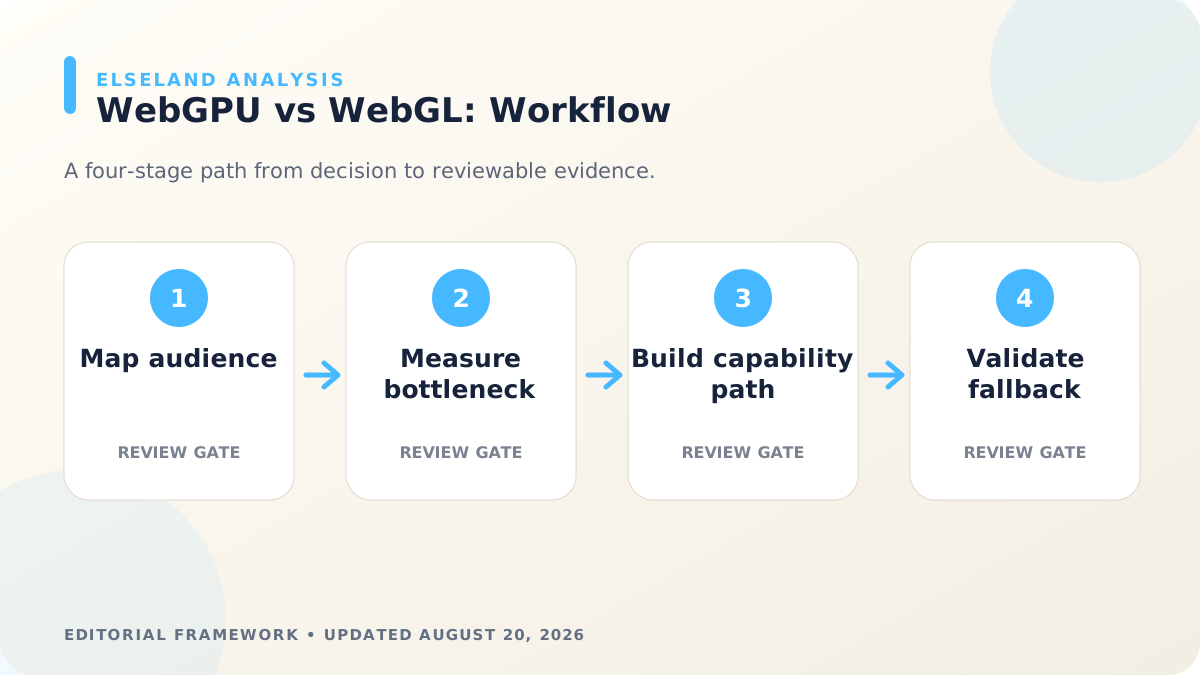
Treat Browser Support as a Product Requirement
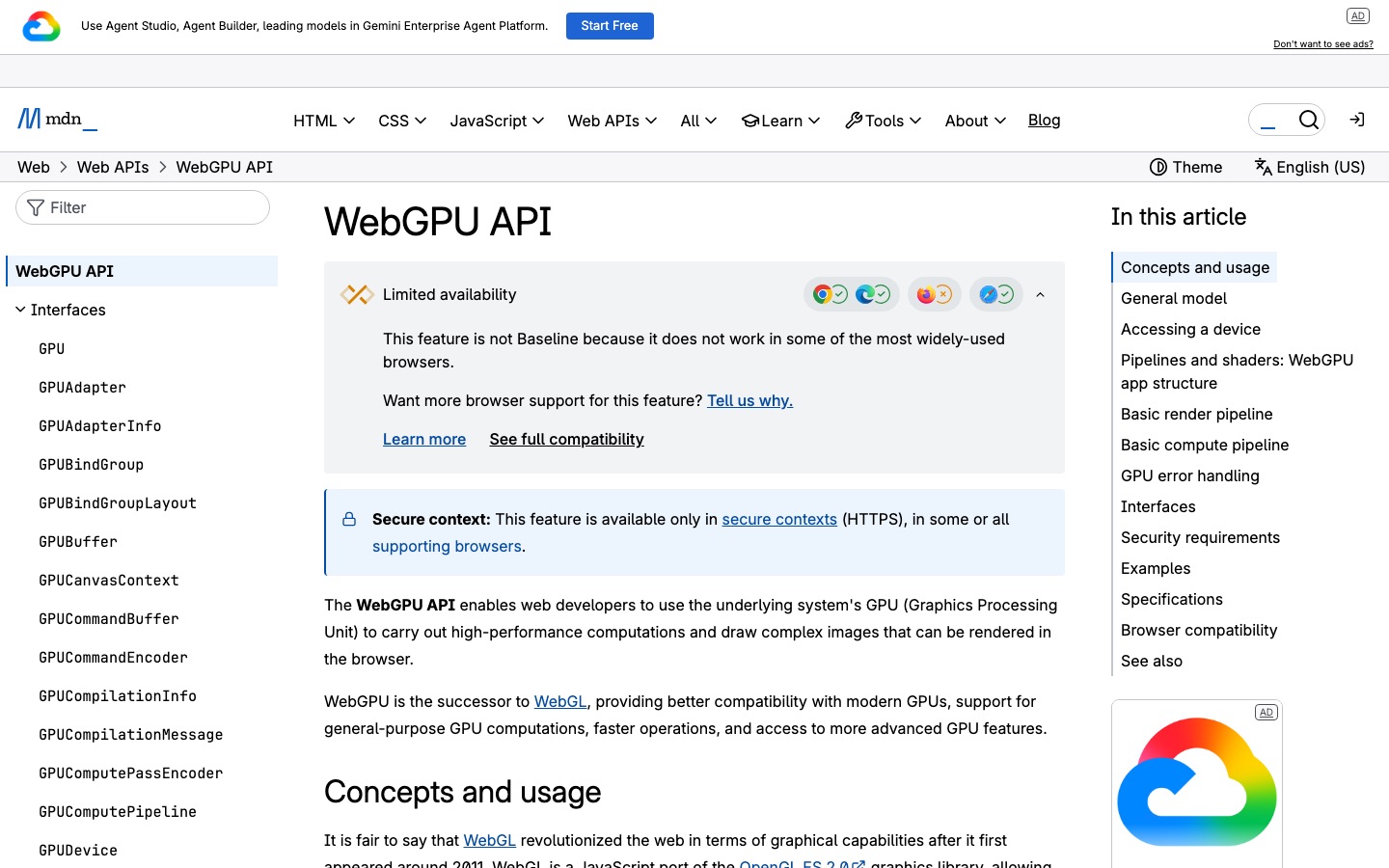
The useful question is not whether the feature looks impressive in a demonstration, but whether a team can control it in production. MDN still labels WebGPU as not Baseline because support varies across browsers, operating systems, devices, and worker contexts. This framing keeps the section useful after launch-week excitement fades, because the reader can evaluate the same decision against a later model, engine version, browser, or platform rule.
The MDN WebGPU API guide provides the primary evidence for this part of the guide. It establishes the documented feature or public design context; it does not prove universal quality, player preference, production readiness, or an endorsement of Elseland. Read the MDN WebGPU API guide alongside the dated notes in this article before relying on the claim in a shipping decision.
Build one narrow vertical slice before expanding the workflow across a full game or content library. Build a target matrix from real audience data, test navigator.gpu and required limits at runtime, and define a WebGL or reduced-feature experience for unsupported devices. To keep the recommendation grounded in playable interactions, the AI game platform collection lets readers compare how current examples communicate goals, state changes, feedback, and recovery instead of judging the idea from a static demo alone.
The main failure mode is easy to understate: A desktop developer machine can hide gaps affecting older phones, Linux configurations, Intel Macs, embedded browsers, privacy settings, and enterprise-managed devices. Record the expected result before the test, capture what actually happened, and decide whether the gap is acceptable, fixable, or large enough to reject the approach. A polished output without that record is a demo; a reviewed output with a reproducible decision can become production evidence.
- Define the expected browser coverage result before generating or integrating anything.
- Save the exact input, version, settings, output, and build where the decision was reviewed.
- Test one normal case, one boundary case, and one deliberate failure case.
- Assign a named owner for revision, approval, and re-checking after a tool or platform update.
Measure the WebGPU Performance Opportunity
Treat the public example as evidence of a capability boundary, then translate that boundary into a game-design requirement. WebGPU can reduce CPU overhead for many draw operations and enables compute workloads such as particles, culling, post-processing, and skinning, but gains depend on workload and implementation. This framing keeps the section useful after launch-week excitement fades, because the reader can evaluate the same decision against a later model, engine version, browser, or platform rule.
The MDN WebGL API guide provides the primary evidence for this part of the guide. It establishes the documented feature or public design context; it does not prove universal quality, player preference, production readiness, or an endorsement of Elseland. Read the MDN WebGL API guide alongside the dated notes in this article before relying on the claim in a shipping decision.
Make the review gate observable: another developer should be able to reproduce the result from the saved build and source record. Capture CPU frame time, GPU frame time, draw count, pipeline switches, buffer traffic, memory, and battery on representative scenes before and after migration. The related browser game library offers a second Elseland perspective on the workflow, so teams can move from the current topic into a concrete production or play context without treating this page as an isolated answer.
The main failure mode is easy to understate: A renderer can report higher peak frame rate while increasing shader compilation stalls, memory pressure, power use, or frame-time variance that players feel more strongly. Record the expected result before the test, capture what actually happened, and decide whether the gap is acceptable, fixable, or large enough to reject the approach. A polished output without that record is a demo; a reviewed output with a reproducible decision can become production evidence.
- Define the expected frame-time evidence result before generating or integrating anything.
- Save the exact input, version, settings, output, and build where the decision was reviewed.
- Test one normal case, one boundary case, and one deliberate failure case.
- Assign a named owner for revision, approval, and re-checking after a tool or platform update.
Use WebGPU Compatibility Mode Deliberately
Start with the player-visible decision, not the novelty of the technology. Compatibility mode targets a restricted WebGPU subset that can map to older graphics APIs, expanding potential hardware reach without pretending every core feature is available. This framing keeps the section useful after launch-week excitement fades, because the reader can evaluate the same decision against a later model, engine version, browser, or platform rule.
The source record for this section is included in the article's evidence list. Use it to establish documented behavior or public design context, then keep project-specific performance, player preference, rights, and release conclusions tied to the actual artifact and build under review.
A practical implementation begins with a written contract for inputs, outputs, failure states, and approval. Request the required feature level, inspect supported limits, keep optional effects behind capability checks, and validate both compatibility and core paths. The related Blender to GLB workflow offers a second Elseland perspective on the workflow, so teams can move from the current topic into a concrete production or play context without treating this page as an isolated answer.
The main failure mode is easy to understate: Designing around high-end limits and adding compatibility late can create divergent shaders, visual bugs, or a low-tier path that no longer communicates important gameplay feedback. Record the expected result before the test, capture what actually happened, and decide whether the gap is acceptable, fixable, or large enough to reject the approach. A polished output without that record is a demo; a reviewed output with a reproducible decision can become production evidence.
- Define the expected fallback maintenance result before generating or integrating anything.
- Save the exact input, version, settings, output, and build where the decision was reviewed.
- Test one normal case, one boundary case, and one deliberate failure case.
- Assign a named owner for revision, approval, and re-checking after a tool or platform update.
Audit Engine, Shader, and Asset Readiness
The useful question is not whether the feature looks impressive in a demonstration, but whether a team can control it in production. Renderer choice affects engine versions, shader languages, material systems, texture formats, debugging tools, build size, and the team's ability to maintain two paths. This framing keeps the section useful after launch-week excitement fades, because the reader can evaluate the same decision against a later model, engine version, browser, or platform rule.
The source record for this section is included in the article's evidence list. Use it to establish documented behavior or public design context, then keep project-specific performance, player preference, rights, and release conclusions tied to the actual artifact and build under review.
Build one narrow vertical slice before expanding the workflow across a full game or content library. Inventory engine support, third-party libraries, custom shaders, compression, GLB materials, post-processing, and automated visual tests before estimating migration. For a shorter comparison loop, the minigame platform provides compact sessions where pacing, input clarity, accessibility, restart behavior, and player feedback can be inspected directly.
The main failure mode is easy to understate: A proof-of-concept triangle or particle demo says little about the cost of porting production shaders, content tools, editor previews, and years of platform workarounds. Record the expected result before the test, capture what actually happened, and decide whether the gap is acceptable, fixable, or large enough to reject the approach. A polished output without that record is a demo; a reviewed output with a reproducible decision can become production evidence.
- Define the expected api capability result before generating or integrating anything.
- Save the exact input, version, settings, output, and build where the decision was reviewed.
- Test one normal case, one boundary case, and one deliberate failure case.
- Assign a named owner for revision, approval, and re-checking after a tool or platform update.
Build a Progressive WebGPU Migration Plan
Treat the public example as evidence of a capability boundary, then translate that boundary into a game-design requirement. A safe migration begins with one isolated workload or renderer slice and preserves a functioning WebGL path until audience coverage and production evidence justify a larger shift. This framing keeps the section useful after launch-week excitement fades, because the reader can evaluate the same decision against a later model, engine version, browser, or platform rule.
The source record for this section is included in the article's evidence list. Use it to establish documented behavior or public design context, then keep project-specific performance, player preference, rights, and release conclusions tied to the actual artifact and build under review.
Make the review gate observable: another developer should be able to reproduce the result from the saved build and source record. Select a measurable bottleneck, implement capability detection, compare visual output and frame-time distributions, test loss and recovery, then expand only after the slice passes. The related browser game library offers a second Elseland perspective on the workflow, so teams can move from the current topic into a concrete production or play context without treating this page as an isolated answer.
The main failure mode is easy to understate: A flag-day rewrite removes the working baseline before the team understands browser-specific behavior, debugging maturity, asset conversion, and operational support cost. Record the expected result before the test, capture what actually happened, and decide whether the gap is acceptable, fixable, or large enough to reject the approach. A polished output without that record is a demo; a reviewed output with a reproducible decision can become production evidence.
- Define the expected browser coverage result before generating or integrating anything.
- Save the exact input, version, settings, output, and build where the decision was reviewed.
- Test one normal case, one boundary case, and one deliberate failure case.
- Assign a named owner for revision, approval, and re-checking after a tool or platform update.
A Production Decision Framework for WebGPU vs WebGL for Browser Games
A useful first draft should help a team make a bounded decision. For WebGPU vs WebGL for browser games, that means separating what the technology or design pattern can produce from what the project can reliably integrate, what the player can understand, and what the release process can defend. Mixing those questions creates false confidence: a visually strong result can still fail performance, safety, accessibility, or maintenance review.
Score each dimension against the same artifact or build. Do not compare a provider's polished showcase with an unrelated local prototype and call the result a benchmark. If direct testing is unavailable, label the analysis as documentation-based, retain uncertainty, and define the smallest experiment needed to replace inference with observation.
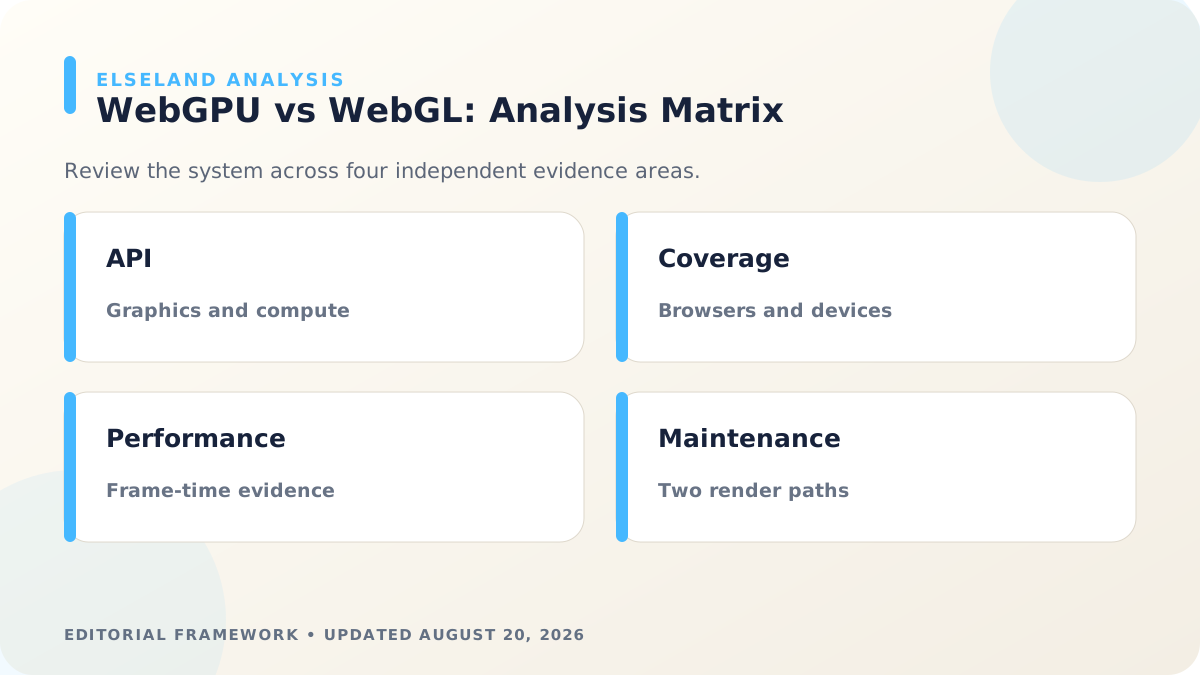
The table below is deliberately tool-neutral. It can be reused after a model, engine, API, or platform changes. A pass requires evidence in all four rows; strength in one row should not compensate for a release-blocking failure in another.
| Review dimension | Question | Evidence to retain | Fail condition |
|---|---|---|---|
| API capability | Can it produce the required player-visible result? | Inputs, outputs, version, and selection criteria | The result depends on an undocumented lucky sample |
| Browser coverage | Can the result enter the real pipeline without hidden rework? | Source files, transforms, code changes, and build logs | The workflow breaks the runtime, format, or ownership contract |
| Frame-time evidence | Can a player understand, control, and recover from it? | Fresh-player notes, accessibility checks, and failure captures | The feature obscures rules, removes agency, or fails without explanation |
| Fallback maintenance | Can the team ship and maintain it responsibly? | Rights, disclosures, approvals, monitoring, and rollback plan | The team cannot explain provenance, policy fit, or operational ownership |
Field Validation Checklist for WebGPU vs WebGL for browser games
Run this checklist after the first plausible result and before scaling. Keep an untouched baseline beside the candidate revision. The baseline reveals whether a change actually improved the intended dimension or merely moved the problem somewhere less visible.
Use the real delivery environment whenever possible. Browser, mobile, engine editor, storefront, and local inference conditions expose different constraints. Record the device, browser or engine version, network state, content version, and reviewer so a later editor can reproduce the observation instead of relying on memory.
End the review with one of four statuses: pass, conditional pass, revise, or reject. Conditional pass requires a bounded exception, an owner, and a trigger for review. “Looks good” is not a release status because it says nothing about the evidence, intended use, or known limit.
- Confirm the article's documented capability against the current official source and access date.
- Test the smallest complete player loop, not only an isolated asset or conversation response.
- Capture latency, performance, clarity, safety, and recovery behavior where they affect the experience.
- Ask a reviewer who did not build the feature to explain the rules and identify the next action.
- Verify anchor-text links, source attributions, disclosures, and rights records before publishing.
- Preserve the accepted artifact and the reason it passed; repeat the affected checks after any material update.
Evidence, Limits, and the Editorial Position on WebGPU vs WebGL for Browser Games
This guide is a documentation-based editorial analysis, not a claim that Elseland conducted a controlled benchmark of every named product or game. Official sources establish public features, rules, release timing, and design context. They do not establish universal performance, legal clearance, commercial success, or the experience every player will have.
Named games are used as public case studies. The article does not imply access to private design data, an affiliation with the developer, or knowledge of internal metrics. When the analysis moves from a documented fact to an interpretation, the wording should remain conditional and identify the design principle being inferred.
Before publication, an editor should re-open time-sensitive sources, verify that screenshots still match the English version of the referenced page, and update absolute dates where needed. The strongest conclusion is therefore practical and bounded: use the approach when its assumptions match the project, test it in the real context, and keep enough evidence to revisit the decision.
| Statement type | Required treatment |
|---|---|
| Officially documented fact | Use an anchor-text citation and an absolute date for unstable details |
| Observed project result | Name the build, environment, sample, and method |
| Editorial interpretation | State the criteria and the tradeoff; avoid presenting inference as fact |
| Forecast or roadmap | Separate confirmed, reported, and speculative elements |
Frequently asked questions
What is the quickest way to evaluate WebGPU vs WebGL for browser games?
Choose one player-visible outcome, build the smallest complete loop that contains it, and define pass criteria before testing. Use the same input and review dimensions for the baseline and candidate so the comparison reflects the change rather than a different task.
Who is this WebGPU vs WebGL for Browser Games guide for?
It is written for browser-game engineers, technical artists, engine teams, and producers planning a new renderer or migration. Specialists can use the decision tables as a handoff tool, while smaller teams can use the field checklist to avoid scaling an attractive but unverified result.
Does an official product demo prove the workflow is production-ready?
No. A demo can establish that a provider is presenting a capability, but production readiness also depends on repeatability, integration cost, player clarity, performance, safety, rights, and maintenance in the target project.
How should teams document AI-assisted game work?
Store the prompt or input, provider and version, settings, generated output, human edits, reviewer, decision date, and final asset or build identifier. Add rights, disclosure, safety, and rollback records wherever they affect release approval.
How many test cases are enough for an initial draft?
Start with at least one normal case, one boundary case, and one deliberate failure case. That is not a universal benchmark, but it is enough to reveal whether the workflow has a defined recovery path before the team invests in a larger evaluation.
When should a team reject the approach instead of revising it?
Reject it when the core player outcome conflicts with the project's performance, control, safety, rights, or maintenance requirements and no bounded change can close the gap. Preserve the failed evidence so the same unsuitable approach is not repeated later.
Can the same framework be used after the platform or model changes?
Yes. The four review dimensions are intentionally independent of one vendor. Re-run the time-sensitive source checks and affected tests, then compare the new result with the preserved baseline rather than assuming a newer version is automatically better.
What should readers do after finishing this guide?
Use the field checklist on one real artifact or playable loop, then continue with the linked Elseland guide that best matches the next production decision. If the goal is simply to play, explore the game library and compare the analysis with an experience you can test directly.
Sources and further reading
- W3C WebGPU specification
June 2026 Candidate Recommendation Draft and normative API definition.
- MDN WebGPU API guide
Current concepts, compatibility status, security requirements, and examples.
- MDN WebGL API guide
Current WebGL platform and compatibility reference.
Next step