The fastest way to waste time with generative tools is to optimize the wrong output. A polished render may have no usable silhouette at gameplay scale, while a detailed 3D model may carry too many materials, broken UVs, or a rig that cannot animate cleanly.
A better process begins with the player-facing job. Decide whether the asset supports a puzzle board, an RPG encounter, or a simulated world, then connect it to a production target. You can browse Elseland game categories to compare how assets behave across genres before defining the brief.
Quick read
Key takeaways
- Write an asset brief with gameplay role, camera distance, style anchors, and technical limits before prompting.
- Generate variations early, then select one direction before spending time on cleanup and integration.
- Keep editable source files separate from delivery-ready PNG, WebP, sprite atlas, GLB, or engine-prefab outputs.
- Review assets in a playable scene and record provenance, licenses, prompts, tools, and human edits before release.
1. Start With an Asset Contract
Describe the asset's gameplay role, target platform, camera range, collision needs, animation states, palette, and export format. Include two or three positive references and one negative reference that shows what to avoid.
For AI-assisted work, add provenance fields at the start: model or service, generation date, input references, license status, prompt, seed when available, and the human edits expected before release.
- Player-visible purpose
- Style anchors and exclusions
- Dimensions, texture, rig, and file constraints
- Ownership and disclosure notes
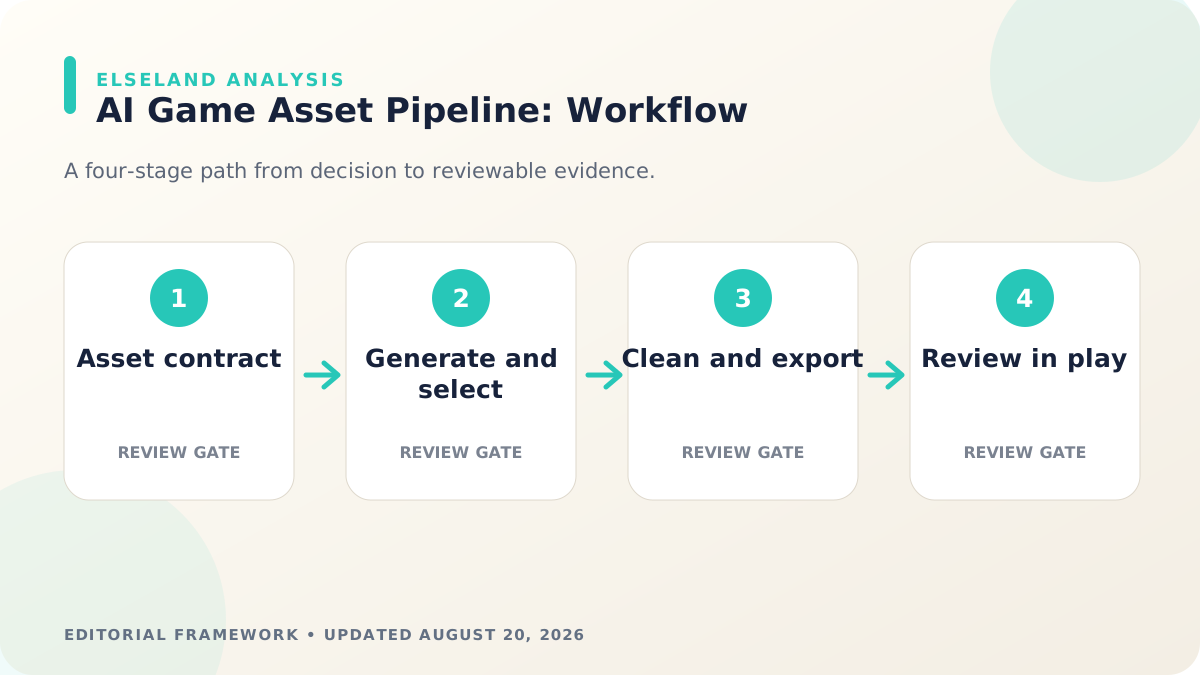
2. Generate Broadly, Select Narrowly
Use the first pass to explore silhouette and composition, not to chase final polish. Compare outputs at the size and camera angle used in play. Select one direction, lock its identity cues, and create a small variation sheet before moving downstream.
A selection gate prevents every later stage from multiplying uncertainty. If the team cannot agree on shape language, palette, or proportions, more upscaling and modeling will only make the disagreement expensive.
3. Clean, Structure, and Export
For 2D assets, remove artifacts, standardize canvas size, check alpha edges, and pack atlases deliberately. For 3D assets, inspect topology, normals, materials, UVs, pivots, scale, rig hierarchy, and texture dimensions before exporting.
Use interoperable delivery formats where possible. Khronos positions glTF as a compact runtime delivery format, while engine-native prefabs can store gameplay-specific setup. Preserve an editable master separately so compression and engine imports are reproducible.
4. Judge the Asset in Play
Place the asset in a representative level with production lighting, UI, animation, effects, and nearby objects. Ask whether the player can identify it, whether it communicates state, and whether it stays readable during motion.
Browse the playable game library to compare how existing loops combine assets, state, and feedback before you expand a visual direction into a larger browser concept.
5. Run Technical, Visual, and Rights QA
Check dimensions, naming, missing textures, import warnings, frame pacing, memory, collision, animation loops, and fallback behavior. Then review accessibility: do not rely on color alone for essential state, and verify that UI and interactive elements remain distinguishable.
Before publishing, attach the asset record to the build. Steam's current content survey distinguishes pre-generated and live-generated AI content, so teams need to know how an asset was produced instead of reconstructing that history during submission.
Worked Example: Build One Enemy Asset Family
Assume a browser RPG needs a forest guardian that appears as a close-range enemy, a distant silhouette, and a small quest icon. Begin with one approved shape language and palette, but write three delivery contracts: a rig-ready 3D character, a lower-cost distant version, and a simplified 2D icon. The shared identity cues are the antler silhouette, moss-green material, and amber core—not identical geometry in every context.
Generate broad silhouette options first, approve one, and only then produce the model, icon, and animation references. During integration, place five enemies in the worst-case encounter rather than testing one turntable. This reveals whether material count, animation cost, effect contrast, and the icon's visual shorthand still work as a family.
| Deliverable | Approval evidence | Release risk |
|---|---|---|
| Hero model | Turntable, deformation test, close camera | Topology or material artifacts |
| Distant model | Crowded scene profile | Silhouette loss or excess draw cost |
| Quest icon | Native-size UI capture | Unreadable shape or palette drift |
| Asset record | Prompt, model, sources, edits, approver | Missing provenance at submission |
Use Four Approval Gates Instead of One Final Review
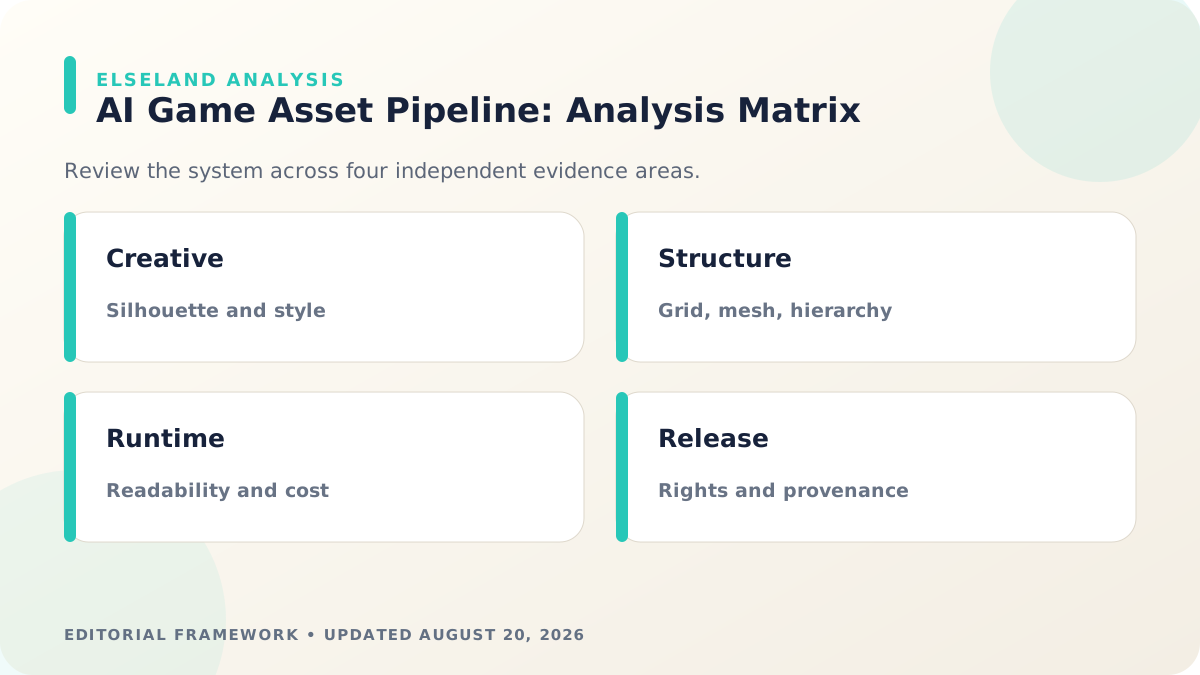
A single final art review mixes creative, technical, gameplay, and rights questions. Split approval into four gates: direction, structure, integration, and release. A failed gate sends the asset back only to the relevant stage, which prevents a texture issue from reopening the entire concept direction.
The direction gate approves silhouette and style; structure approves mesh, atlas, hierarchy, naming, and editable sources; integration approves readability and cost in play; release approves provenance, licenses, disclosure, accessibility, and the exact delivery artifact. Record who approved each gate and which build or file was reviewed.
- Direction: identity, composition, palette, and reference legality
- Structure: topology or pixel grid, UVs, pivots, hierarchy, and exports
- Integration: camera, lighting, UI, animation, collision, and performance
- Release: provenance, disclosure, accessibility, ownership, and rollback
Troubleshoot the Pipeline by Finding the First Broken Contract
When an asset fails in the game, avoid immediately regenerating it. Trace the first contract that broke. A blurry icon may come from an incorrect import filter rather than the source image; a deformed character may come from rig mapping rather than the mesh; a slow scene may come from material fragmentation rather than triangle count.
Use a small reproducible scene and compare the approved source, exported delivery file, importer result, and runtime instance. The glTF specification and engine import documentation are especially useful because they clarify which data is expected to survive each boundary.
| Symptom | Likely cause | Next check |
|---|---|---|
| Looks wrong after import | Transforms, color space, normals, alpha, material mapping | |
| Animation breaks | Bind pose, hierarchy, weights, clip range, root motion | |
| Scene becomes slow | Instances, primitives, materials, textures, overdraw, skinning | |
| Style drifts | Reference version, model version, prompt scaffold, palette | |
| Rights are unclear | Source license, model terms, recognizable IP, human edits |
Copyable AI Game Asset Release Checklist
Run the checklist against the exact file included in the release candidate, not a visually similar source. Store screenshots and measurements beside the asset record so later updates can be compared against the approved baseline.
If the asset changes after approval, repeat the affected gates. A texture-only revision may not require new rig validation, but it still needs visual, memory, provenance, and build checks.
- The player-facing job and supported camera distances are documented.
- Editable source and delivery files are both retained and versioned.
- Naming, scale, pivot, materials, texture dimensions, and animation clips pass import checks.
- The asset is tested in a representative scene on a lower-power target device.
- Prompts, models, source references, licenses, human edits, and approvals are recorded.
- The release build, store disclosure, and asset inventory describe the same content.
What the Primary Sources Establish About AI Game Asset Workflow
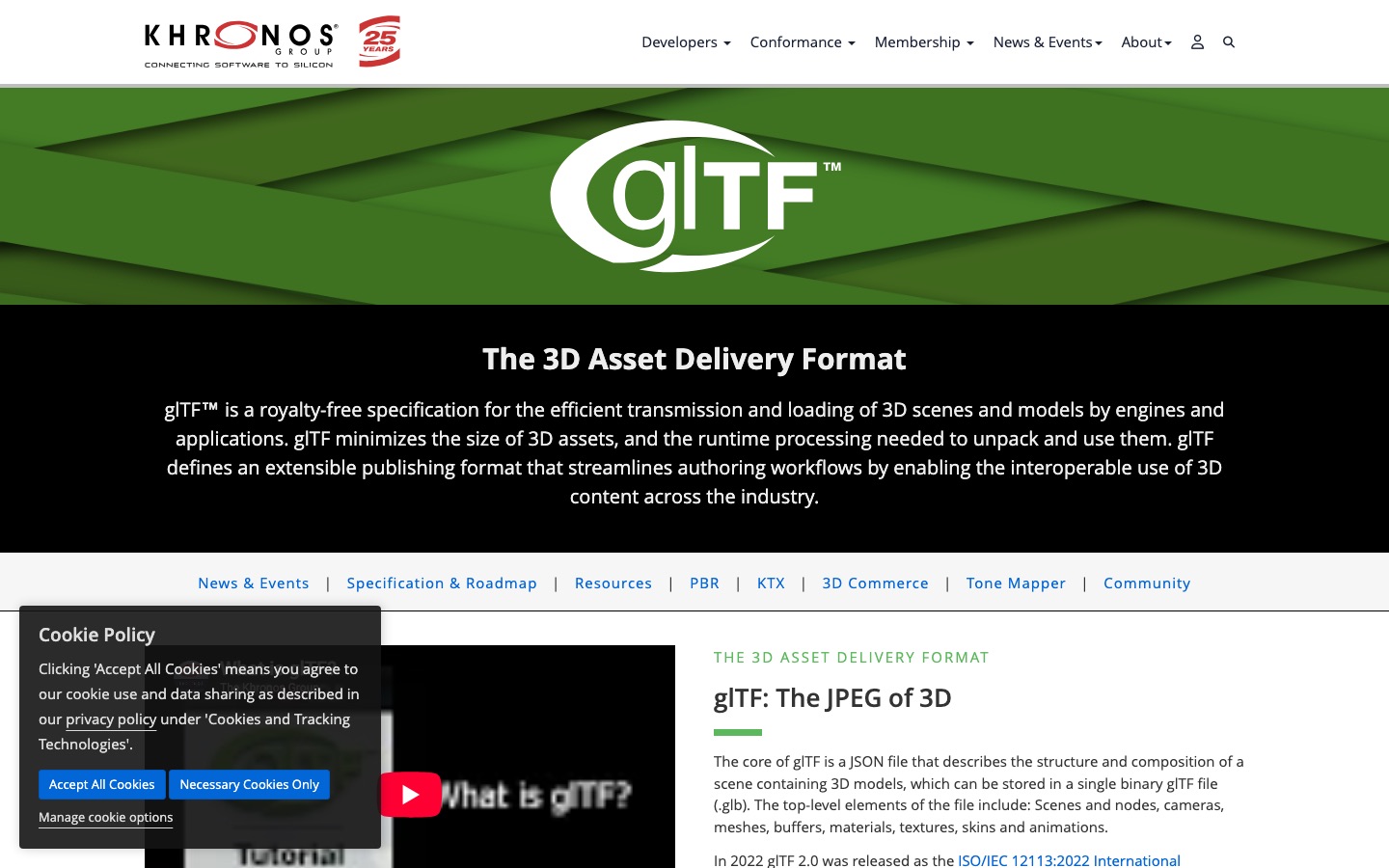
Our evidence baseline starts with the Khronos glTF overview, accessed August 20, 2026. We use it to establish documented behavior, terminology, or constraints—not to claim that the source endorses Elseland's workflow or conclusions. The practical artifact under review is an asset contract connected to source records, editable files, runtime exports, and an in-game review capture.
That distinction is central to E-E-A-T. A first-party page can establish what a format, tool, platform, model, or game team publicly documents. It cannot prove that a particular asset is fast, accessible, legally cleared, fun, or production-ready. Those conclusions require separate observation, measurement, specialist review, or player evidence tied to the actual project.
For this topic, the decision is whether an AI-generated asset is production-ready for its exact gameplay role. The following observations turn the official reference into a reviewable production record rather than a decorative citation:
| Evidence layer | What it can support | What it cannot support alone |
|---|---|---|
| Official source | Documented feature, rule, format, or published design context | Project-specific quality or universal performance |
| Project measurement | Observed behavior in a named build, scene, device, or sample | Unmeasured platforms or future versions |
| Human review | Usability, visual, editorial, and production judgment | Legal certainty or population-level player behavior |
| Release record | Who approved what, when, with which evidence | Permanent compliance after inputs or rules change |
- 1. define camera distance, scale, animation, collision, and platform constraints before generation. Store the result with the asset or build identifier so another reviewer can reproduce the conclusion.
- 2. treat generated output as source material rather than a final export. Store the result with the asset or build identifier so another reviewer can reproduce the conclusion.
- 3. preserve provenance and rights notes through every transformation. Store the result with the asset or build identifier so another reviewer can reproduce the conclusion.
- 4. approve the asset inside gameplay lighting and motion. Store the result with the asset or build identifier so another reviewer can reproduce the conclusion.
A Field Review Protocol for AI Game Asset Workflow
Use this protocol after the first plausible output exists and before scaling the workflow. Keep one untouched baseline, one candidate revision, and one deliberately stressed case. The stressed case should expose the topic's likely failure mode—crowded scenes, extreme poses, small-screen play, unusual inputs, or a release-rule change—rather than merely repeat the easiest success case.
Run the review in the real delivery context whenever possible. Capture the tool or model version, source files, settings, target device or engine, date, and reviewer. If the work depends on a changing external service, record the response or exported artifact instead of assuming the same output can be recreated later.
A useful review ends with a decision and a next action. “Looks good” is not a gate. State whether the candidate passes, passes with a bounded exception, needs revision, or should be rejected; identify the evidence behind that status and the owner of the next check.
| Review status | Meaning | Required next action |
|---|---|---|
| Pass | All defined visual, technical, and release gates are supported by evidence | Freeze the reviewed artifact and link it to the build |
| Conditional pass | A known limitation is bounded and does not invalidate the intended use | Document the exception, owner, and trigger for re-review |
| Revise | The direction is viable but one or more gates remain unsupported | Change one controlled variable and repeat the affected checks |
| Reject | The candidate conflicts with the intended use, evidence, rights, safety, or budget | Preserve the record and choose a different approach |
- write measurable visual and technical acceptance criteria. Record the expected result before the check, then attach the observed result and any exception after it.
- save model, date, prompt, references, and provider terms. Record the expected result before the check, then attach the observed result and any exception after it.
- clean topology, hierarchy, pivots, UVs, alpha, and naming. Record the expected result before the check, then attach the observed result and any exception after it.
- export through the intended engine format and validate it. Record the expected result before the check, then attach the observed result and any exception after it.
- test readability, collision, animation, and performance in context. Record the expected result before the check, then attach the observed result and any exception after it.
- attach human approval and the final asset identifier to the release record. Record the expected result before the check, then attach the observed result and any exception after it.
Expert Interpretation and Limits of This AI Game Creation Guide
The strongest conclusion this guide can support is a conditional production recommendation: use the workflow when its documented assumptions match the project, and keep the evidence needed to revisit the decision. We do not infer universal model quality, player preference, legal clearance, or performance from an official screenshot, a provider example, or a single successful asset.
Experience matters here because ai game asset workflow crosses creative judgment and implementation detail. The practical review should include the people who will edit the source, integrate the result, test it in play, maintain it after release, and answer rights or policy questions. A narrow expert handoff often misses problems that appear only when those responsibilities meet.
Before publishing or shipping, repeat time-sensitive checks against the current source and exact build. Preserve dated evidence, disclose the evaluation method, and distinguish measured results from editorial inference. That record is more valuable than a confident conclusion that future reviewers cannot reproduce.
| Claim type | Editorial treatment |
|---|---|
| Documented fact | Link to Khronos glTF overview and include the access date |
| Observed project result | Name the build, environment, sample, and method |
| Expert judgment | State the criteria, reviewer role, and tradeoff |
| Inference or forecast | Label it explicitly and describe what evidence could change it |
- Format compatibility does not prove that an asset is efficient or correctly structured.
- A visually convincing render can hide topology, rig, or licensing problems.
- Rights review depends on the provider, inputs, jurisdiction, and intended use.
- Asset-level approval does not replace a complete scene and release review.
Frequently asked questions
What is an AI game asset workflow?
It is the repeatable path from asset brief and AI generation through selection, cleanup, export, engine integration, playtesting, provenance, and release approval.
Should AI-generated assets go directly into a game?
Usually no. They should be checked for style, artifacts, topology or alpha quality, performance, rights, accessibility, and behavior in the actual scene.
Which file format should a game asset use?
It depends on the asset and engine. PNG, WebP, and sprite atlases are common for 2D delivery; GLB/glTF is useful for portable 3D delivery; engine-native formats can store runtime setup.
How do I keep an AI asset pipeline consistent?
Use fixed briefs, reference boards, naming rules, reusable export presets, objective review gates, and a provenance record for every approved asset family.
How should a small team review many AI-generated assets?
Review families instead of isolated files. Approve a reference asset, define measurable rules, and use batch checks for canvas size, palette, naming, texture dimensions, material count, and missing provenance. Reserve human attention for silhouette, gameplay meaning, unusual artifacts, and rights questions.
What belongs in an AI asset provenance record?
Record the model or service, date, prompt or workflow, seeds when available, source references and licenses, generated output, human edits, approver, and the build or asset identifier. The record should let another team member reconstruct how the release artifact was produced.
When should an AI asset be regenerated instead of edited?
Regenerate when the primary silhouette, composition, unseen structure, or overall style direction is wrong. Edit when the approved direction is sound and the defects are local, such as alpha edges, palette deviations, UV seams, or one broken body part.
How early should game assets be tested in-engine?
Test the first representative asset as soon as a rough delivery file exists. Early integration establishes the real camera, lighting, animation, UI, and performance constraints before the team produces dozens of assets under the wrong assumptions.
Sources and further reading
- Khronos glTF overview
Primary reference for the glTF runtime 3D delivery format.
- Unity 2D game creation workflow
Official engine documentation for a production 2D asset workflow.
- Steamworks content survey
Current first-party disclosure requirements for pre-generated and live-generated AI content on Steam.
Next step