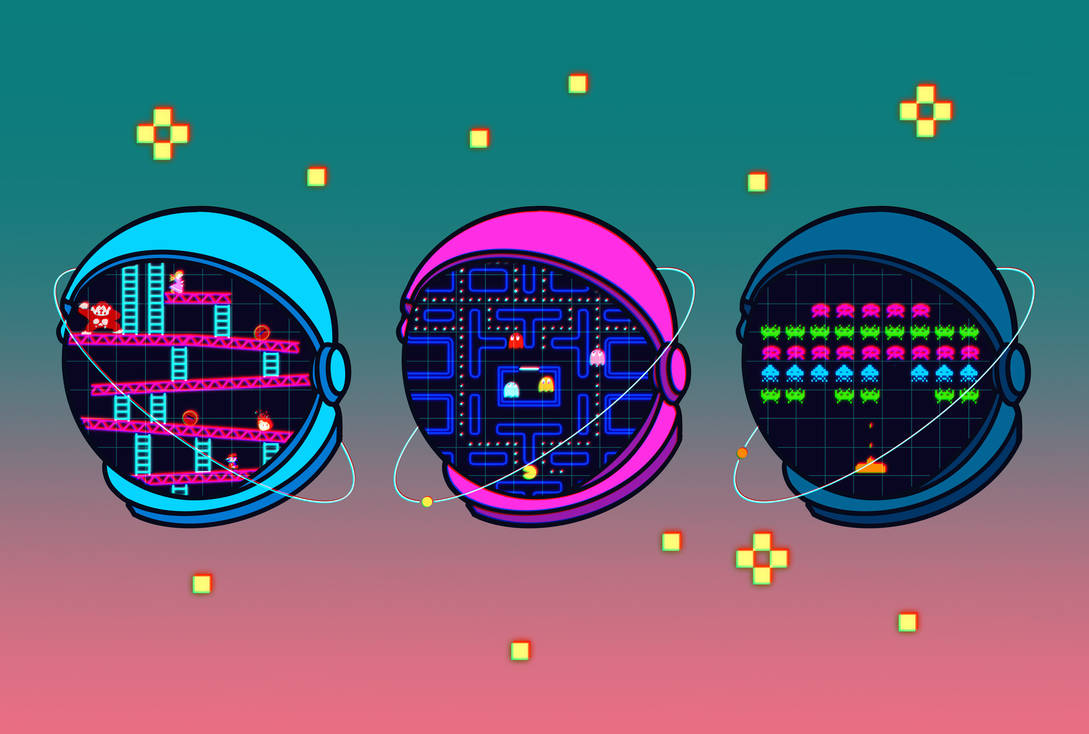
A lineup of 20 playable games sounds like a scale problem: more concepts, mechanics, art, routes, metadata, testing, and release coordination. In practice, the hardest part was not generating more output. It was keeping every contribution small enough to understand and every game coherent enough to play.
We describe the workflow as AI-native because AI agents participated inside the production system: exploring implementation paths, drafting bounded features, checking code, and helping prepare content and assets. That does not mean the games were fully AI-generated or released without human judgment.
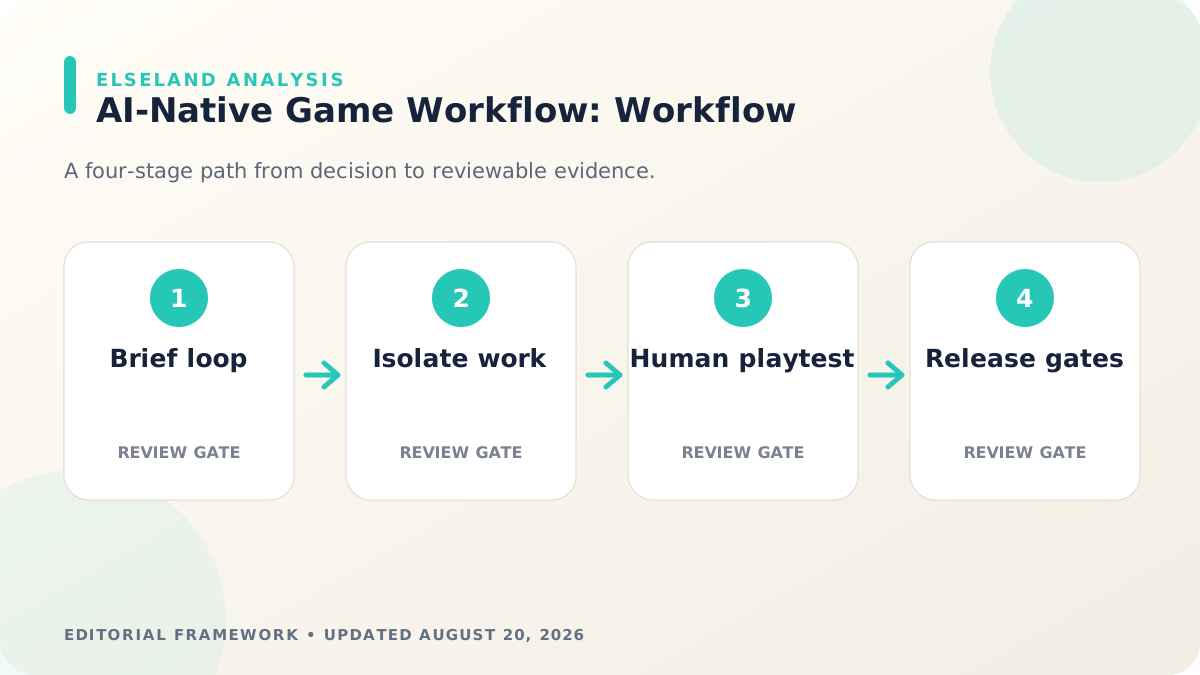
The repeatable pattern was closer to a studio pipeline than a giant prompt. We reduced each title to a testable loop, gave agents narrow deliverables, isolated concurrent work, integrated through shared registries, played the result, and required the site to pass build and discovery checks before it could move toward release.
Quick read
Key takeaways
- Each game began with one observable player loop and a definition of done that could be tested in the browser.
- AI work was more reliable when divided into bounded deliverables with explicit files, constraints, and acceptance checks.
- Parallel work stayed manageable through isolated worktrees, shared registries, and small integration surfaces.
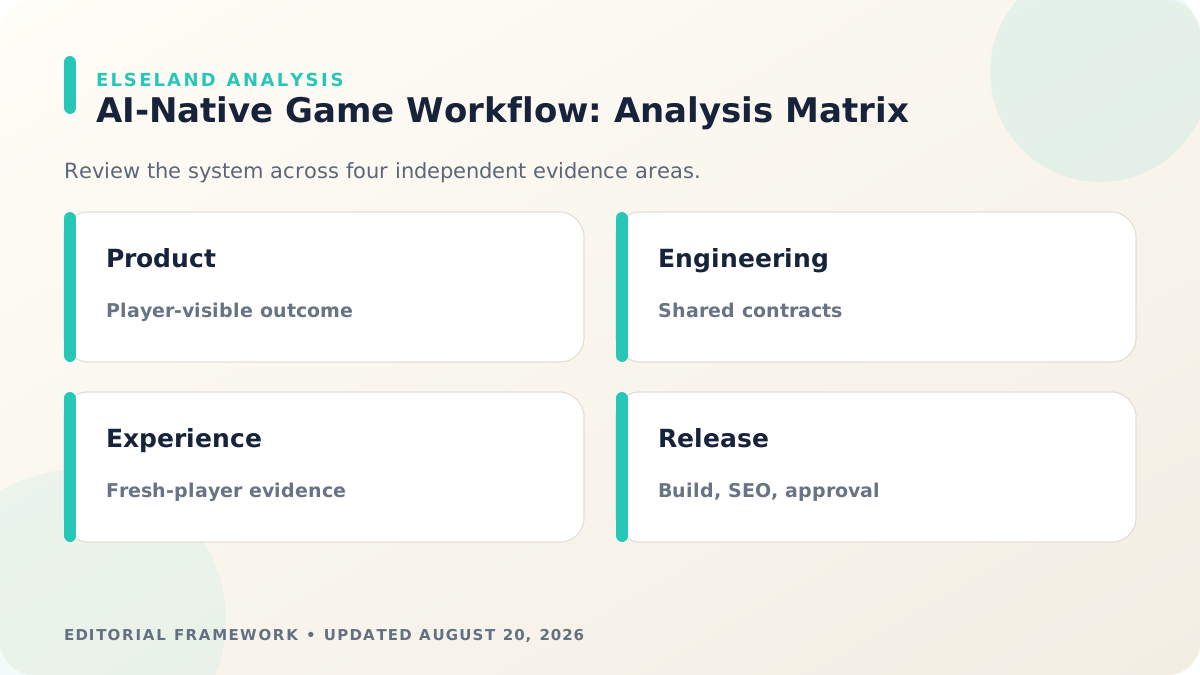
- Human playtesting, production builds, route checks, and SEO validation remained release gates rather than optional cleanup.
AI-Native Did Not Mean Fully Autonomous
The label matters because it changes how the workflow is evaluated. If the goal were autonomous output, the metric would be whether an agent produced files. Our goal was a playable, understandable, maintainable experience, so the metric was whether the work passed explicit product and technical checks. Verify the implementation detail against the current Git worktree documentation before locking the production rule.
AI was effective at accelerating well-framed work: locating related code, implementing a defined interaction, producing a first content structure, checking repeated patterns, or exploring visual directions. Humans still selected concepts, resolved tradeoffs, played the games, judged clarity and feel, reviewed claims, and decided whether a result was ready.
| Workflow layer | AI can accelerate | Human ownership | Acceptance evidence |
|---|---|---|---|
| Concept | Variations, references, risk questions | Audience, fantasy, and scope | One-sentence player promise |
| Gameplay | Bounded mechanics and UI states | Feel, difficulty, and coherence | Playable core loop |
| Assets | Exploration and production candidates | Art direction, rights, and final selection | Approved in-game asset |
| Integration | Route, registry, and component updates | Architecture and regression decisions | Build and route checks |
| Release | Checklist execution and issue discovery | Go/no-go approval | Human playtest plus validation results |
Start Every Game With One Observable Loop
A broad instruction such as “make a tower-defense game” leaves too many decisions unresolved. We wrote the smallest useful player loop instead: what the player sees, what they can do, what changes, how success or failure appears, and why they would take another turn. Verify the implementation detail against the current Next.js generateStaticParams documentation before locking the production rule.
That brief became the first acceptance test. Before adding progression, narrative, or polish, the browser build had to let a player understand the goal, perform the main action, receive feedback, and reach a meaningful state change.
The loop also protected each title from becoming a collection of generated features. New ideas were accepted only when they strengthened the core action or made its feedback clearer. Attractive systems that did not serve the loop could wait.
- Player goal: one outcome the player can explain after a short session.
- Primary action: the repeated input that creates most decisions.
- Feedback: immediate visual, audio, score, or world response.
- Pressure: time, space, risk, scarcity, or an opponent that changes the choice.
- End state: a clear win, loss, completion, or transition into the next run.
Give Agents Bounded Deliverables
Agents produced more dependable work when a task named the exact outcome, allowed files, constraints, and proof required. “Improve the game” is difficult to review. “Add a pause state that stops simulation updates, remains keyboard accessible, and survives a production build” has visible boundaries.
We separated discovery from implementation. The agent first located the relevant route, game registry, component, and validation command; then it changed the smallest surface that satisfied the brief. This reduced speculative rewrites and made review easier for both people and later agents.
Each handoff included what changed, what was tested, and what remained uncertain. Unknowns were not hidden behind confident prose. If an interaction required subjective tuning, the result was explicitly marked for human playtesting rather than declared finished by a unit test.
Isolate Parallel Work Before Integration
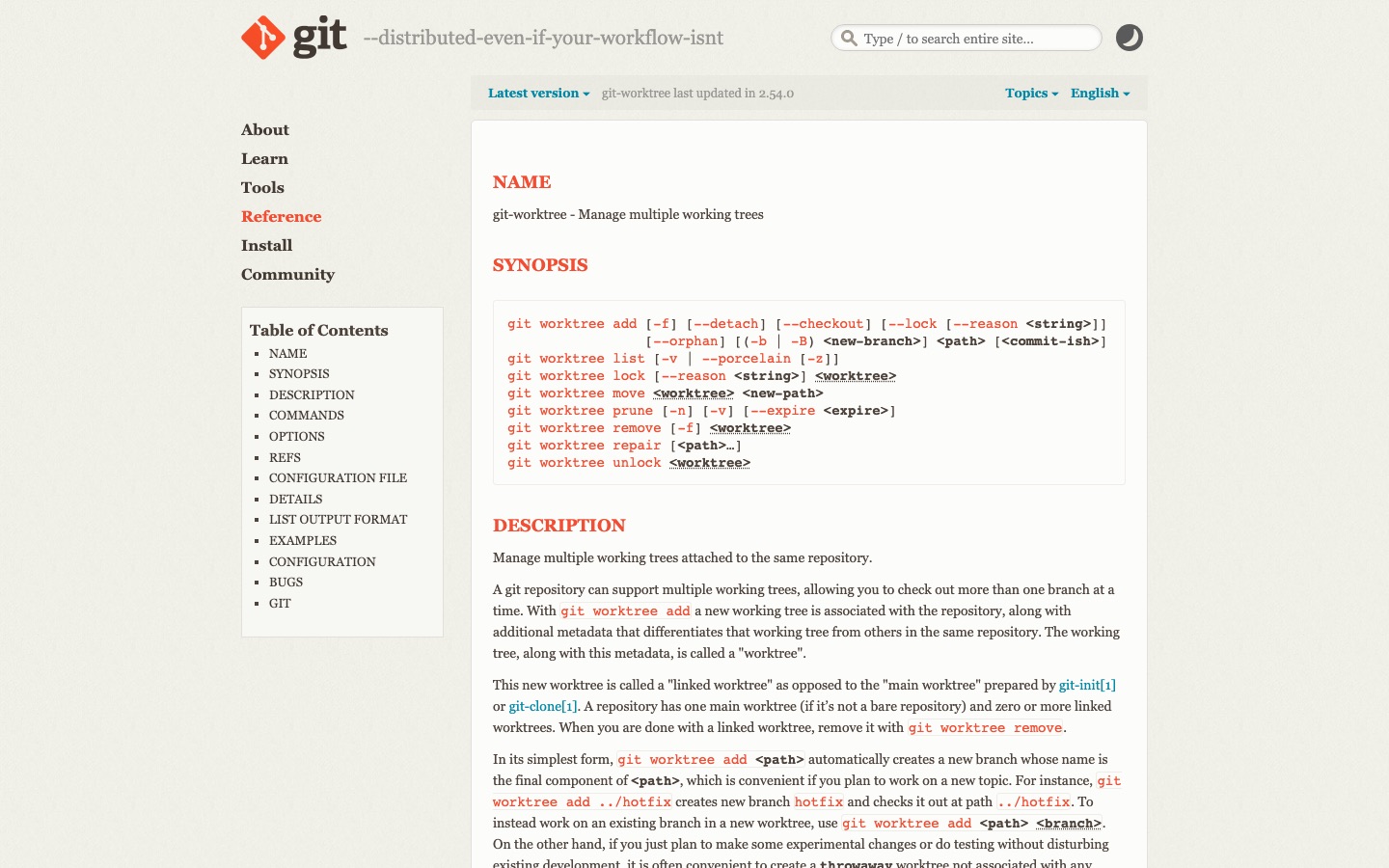
Parallel agents are only useful when their changes can be understood and combined. Git worktrees let multiple working trees attach to the same repository, which gave each bounded change an isolated branch and directory without cloning the entire project again.
Isolation prevented one experiment from silently modifying another agent's files, but it did not eliminate coordination. We kept ownership boundaries clear, avoided having several tasks rewrite the same shared file at once, and integrated through reviewable changes rather than copying entire directories together.
The practical rule was simple: parallelize independent game or content work, serialize changes to shared infrastructure, and re-run the full build after integration. A fast parallel draft is not a release artifact until it works in the combined product.
Make Playtesting the Human Approval Gate
Code can confirm that a route renders and an interaction changes state. It cannot decide whether the first objective is understandable, whether a failure feels fair, or whether the second minute is more interesting than the first. Those questions stayed with human players.
We used focused passes rather than an unstructured request to “try the game.” One pass checked the first thirty seconds and controls, another checked the core loop and failure recovery, and another checked layout, readability, sound, and restart behavior across viewport sizes.
Feedback returned as observable issues: “the first target appears before the control hint,” or “restart leaves the score from the prior run.” Concrete observations are easier for an agent or developer to fix than a verdict such as “the game feels off.”
| Playtest pass | Question | Example evidence |
|---|---|---|
| First contact | Can a new player identify the goal and input? | Time to first intentional action and confusion notes |
| Core loop | Does each action produce readable feedback and another decision? | Recorded run with state changes |
| Failure | Can the player understand what happened and recover? | Loss message, restart, and retained-state check |
| Responsive UI | Can the game be read and controlled at supported sizes? | Desktop and mobile viewport captures |
| Return play | Is there a reason to try again? | Player explanation of the next strategy |
Treat Build, SEO, and Release Checks as Product Work
Playable code is only one layer of a browser game release. The surrounding page needs a stable URL, useful metadata, a working canonical, discoverable navigation, an image, responsive layout, and sitemap coverage when it is intended to be public and indexable.
Next.js can generate dynamic route parameters at build time and export supported routes as static files. In our workflow, those mechanisms are backed by shared content registries, then checked through a production build and SEO validation rather than assumed to work because the development page opened.
The last gate is deliberately boring: build the complete site, inspect the generated routes, validate discovery metadata, open the local production preview, play the changed game, and record the result. Repetition turns that checklist into infrastructure; skipping it turns small omissions into public defects.
- A focused brief and observable core loop exist.
- The change is isolated, reviewable, and integrated through shared contracts.
- A human has played the production-shaped result.
- The complete project builds successfully after integration.
- Public routes, canonicals, metadata, and sitemap coverage are verified.
- Release or deployment still requires an explicit human decision.
What the Primary Sources Establish About Our 20-Game Workflow
Our evidence baseline starts with the Git worktree documentation, accessed August 20, 2026. We use it to establish documented behavior, terminology, or constraints—not to claim that the source endorses Elseland's workflow or conclusions. The practical artifact under review is an isolated worktree, bounded task brief, review evidence, and production build for each game.
That distinction is central to E-E-A-T. A first-party page can establish what a format, tool, platform, model, or game team publicly documents. It cannot prove that a particular asset is fast, accessible, legally cleared, fun, or production-ready. Those conclusions require separate observation, measurement, specialist review, or player evidence tied to the actual project.
For this topic, the decision is whether AI-assisted execution produced a playable, maintainable change rather than merely generating files. The following observations turn the official reference into a reviewable production record rather than a decorative citation:
| Evidence layer | What it can support | What it cannot support alone |
|---|---|---|
| Official source | Documented feature, rule, format, or published design context | Project-specific quality or universal performance |
| Project measurement | Observed behavior in a named build, scene, device, or sample | Unmeasured platforms or future versions |
| Human review | Usability, visual, editorial, and production judgment | Legal certainty or population-level player behavior |
| Release record | Who approved what, when, with which evidence | Permanent compliance after inputs or rules change |
- 1. define the smallest observable player loop before assigning implementation. Store the result with the asset or build identifier so another reviewer can reproduce the conclusion.
- 2. keep concurrent changes isolated and name the exact allowed files. Store the result with the asset or build identifier so another reviewer can reproduce the conclusion.
- 3. require screenshots, playtest notes, and build output as review evidence. Store the result with the asset or build identifier so another reviewer can reproduce the conclusion.
- 4. evaluate shared-system changes against every downstream game they can affect. Store the result with the asset or build identifier so another reviewer can reproduce the conclusion.
A Field Review Protocol for Our 20-Game Workflow
Use this protocol after the first plausible output exists and before scaling the workflow. Keep one untouched baseline, one candidate revision, and one deliberately stressed case. The stressed case should expose the topic's likely failure mode—crowded scenes, extreme poses, small-screen play, unusual inputs, or a release-rule change—rather than merely repeat the easiest success case.
Run the review in the real delivery context whenever possible. Capture the tool or model version, source files, settings, target device or engine, date, and reviewer. If the work depends on a changing external service, record the response or exported artifact instead of assuming the same output can be recreated later.
A useful review ends with a decision and a next action. “Looks good” is not a gate. State whether the candidate passes, passes with a bounded exception, needs revision, or should be rejected; identify the evidence behind that status and the owner of the next check.
| Review status | Meaning | Required next action |
|---|---|---|
| Pass | All defined visual, technical, and release gates are supported by evidence | Freeze the reviewed artifact and link it to the build |
| Conditional pass | A known limitation is bounded and does not invalidate the intended use | Document the exception, owner, and trigger for re-review |
| Revise | The direction is viable but one or more gates remain unsupported | Change one controlled variable and repeat the affected checks |
| Reject | The candidate conflicts with the intended use, evidence, rights, safety, or budget | Preserve the record and choose a different approach |
- state the player-visible outcome and failure condition. Record the expected result before the check, then attach the observed result and any exception after it.
- freeze shared contracts before parallel implementation begins. Record the expected result before the check, then attach the observed result and any exception after it.
- give each task an explicit scope, constraints, and proof requirement. Record the expected result before the check, then attach the observed result and any exception after it.
- run a fresh-player playtest without author narration. Record the expected result before the check, then attach the observed result and any exception after it.
- build the same route and assets used by production. Record the expected result before the check, then attach the observed result and any exception after it.
- record rejected variants and the reason the accepted version passed. Record the expected result before the check, then attach the observed result and any exception after it.
Expert Interpretation and Limits of This AI Game Creation Guide
The strongest conclusion this guide can support is a conditional production recommendation: use the workflow when its documented assumptions match the project, and keep the evidence needed to revisit the decision. We do not infer universal model quality, player preference, legal clearance, or performance from an official screenshot, a provider example, or a single successful asset.
Experience matters here because our 20-game workflow crosses creative judgment and implementation detail. The practical review should include the people who will edit the source, integrate the result, test it in play, maintain it after release, and answer rights or policy questions. A narrow expert handoff often misses problems that appear only when those responsibilities meet.
Before publishing or shipping, repeat time-sensitive checks against the current source and exact build. Preserve dated evidence, disclose the evaluation method, and distinguish measured results from editorial inference. That record is more valuable than a confident conclusion that future reviewers cannot reproduce.
| Claim type | Editorial treatment |
|---|---|
| Documented fact | Link to Git worktree documentation and include the access date |
| Observed project result | Name the build, environment, sample, and method |
| Expert judgment | State the criteria, reviewer role, and tradeoff |
| Inference or forecast | Label it explicitly and describe what evidence could change it |
- Twenty outputs do not constitute a controlled benchmark of AI productivity.
- Repository complexity and game scope make raw completion-time comparisons misleading.
- A successful build does not establish that the game is understandable or enjoyable.
- AI-generated code still requires ownership, security, licensing, and maintenance review.
Frequently asked questions
What does AI-native game development mean?
It means AI participates inside the production workflow rather than being used only for a single asset or late experiment. Humans still own product intent, review, play quality, rights decisions, and release approval.
Were all 20 games fully generated by AI?
No, and we do not use “AI-native” as a synonym for fully autonomous or fully AI-generated production. The lineup combined AI-assisted work with shared engineering systems, human art and product choices, playtesting, and release gates.
Why start with one gameplay loop?
A small loop gives both agents and reviewers a concrete definition of progress. It also exposes whether the idea is understandable and repeatable before the team invests in more content.
Can multiple AI agents build games in parallel?
They can work on independent, bounded areas in parallel when ownership and integration points are clear. Shared infrastructure changes still need coordination and a combined build after integration.
Why use Git worktrees for agent tasks?
Worktrees provide separate working directories and branches connected to one repository. They reduce accidental overlap and make each change easier to inspect, but they do not replace review or conflict management.
What should an AI game-development task include?
State the desired player-visible outcome, relevant files or boundaries, technical constraints, and the evidence required for acceptance. Mark subjective questions for playtesting instead of pretending automation can settle them.
How did you keep 20 games consistent without making them identical?
We standardized the surrounding contracts—routes, metadata, registries, validation, and review—while allowing each game to keep its own core loop and visual direction. Consistency applied to production quality and discovery, not to genre or mechanics.
What is the final release gate for an AI-assisted game?
A human must play the integrated result and approve the experience, followed by a successful production build and route, metadata, and sitemap checks. Deployment remains a separate explicit decision.
Sources and further reading
- Git worktree documentation
Official Git reference for managing multiple working trees attached to one repository.
- Next.js generateStaticParams documentation
Official route-generation reference for dynamic App Router segments at build time.
- Next.js static exports guide
Official guidance for producing static HTML output from supported Next.js routes.
Next step