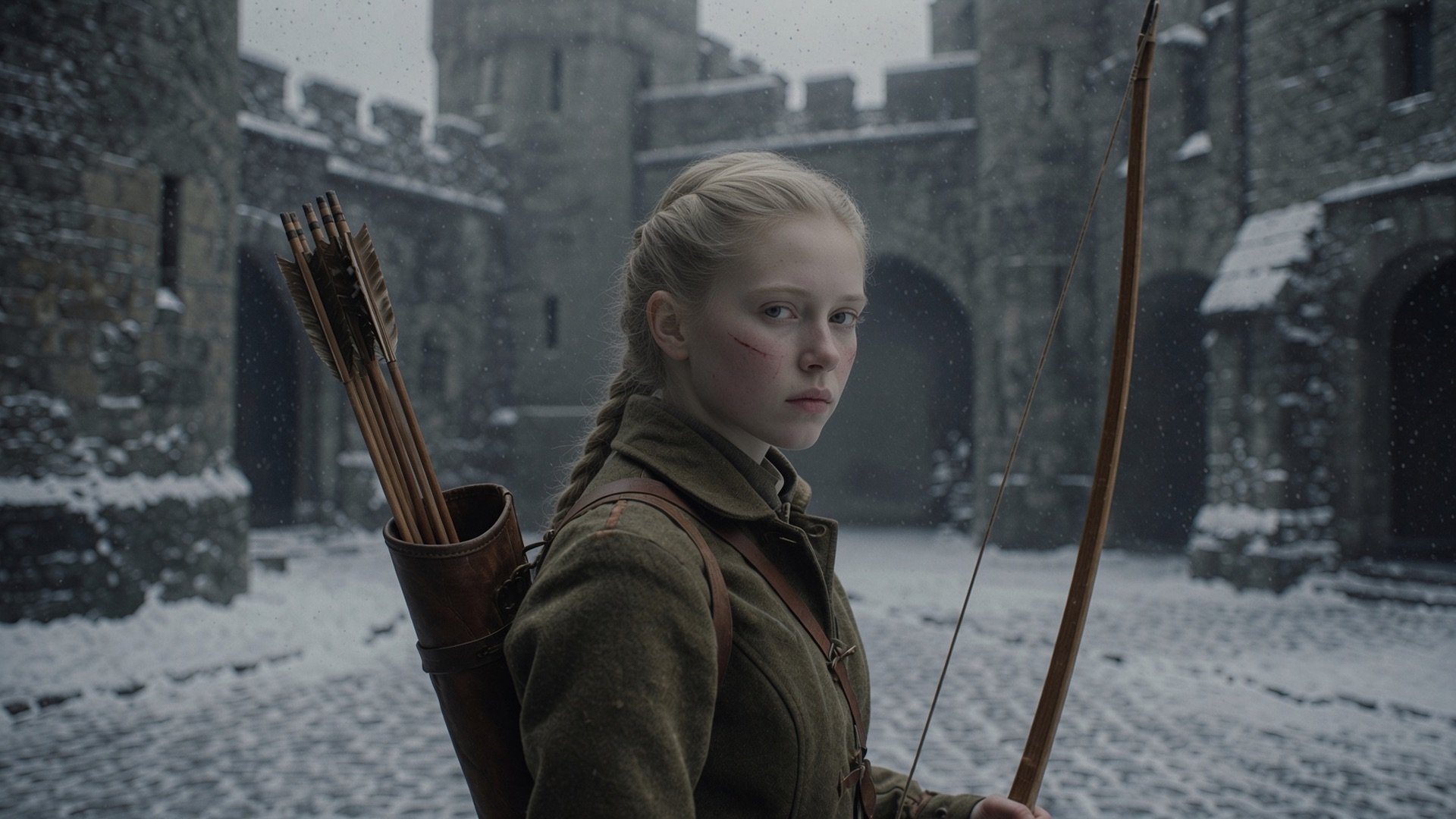
Generating twelve attractive poses is not the same as animating one character. The body can change height, weapons can switch hands, outlines can thicken, and feet can slide when every frame is treated as an independent image.
Start from a consistent character sheet, then design the motion around gameplay needs. The broader guide to keeping AI-generated game art consistent explains how to lock identity before animation begins.
Quick read
Key takeaways
- Lock the character model sheet before requesting animation frames.
- Plan poses and timing as keyframes before generating in-betweens.
- Use the same canvas, baseline, pivot, palette, and light direction across every state.
- Validate loops in-engine because frame order, trimming, and interpolation can change the result.
Lock the Character Before the Motion
Create front, side, and three-quarter references with fixed proportions, costume details, palette, weapon placement, and light direction. Mark non-negotiable identity features such as face shape, hair silhouette, or accessory size.
Choose one canvas and baseline. If the engine will mirror left and right, design asymmetrical accessories carefully so mirrored states do not create gameplay or story errors.
Plan Four State Families
| State | Design goal | Common failure |
|---|---|---|
| Idle | Readable personality without distracting motion | Too much movement or visible loop pop |
| Walk | Clear weight transfer and contact | Foot sliding and changing stride length |
| Attack | Anticipation, contact, and recovery | Impact frame is unclear |
| Hit | Immediate damage acknowledgment | Pose becomes confused with attack or death |
Generate Key Poses Before In-Betweens
For attack and hit states, establish anticipation, contact, and recovery poses first. For walk cycles, establish the two contact poses and passing positions. Approve silhouette and body mechanics before asking for extra frames.
Use image editing or pose-conditioned tools when available, but treat continuity as a review problem. Regenerate only the broken region or redraw it rather than accepting a full-frame identity change.
Normalize and Assemble the Sheet
Align every frame to the chosen pivot, normalize palette and outline weight, remove background artifacts, and keep transparent padding consistent. Name states and frame ranges explicitly so the runtime configuration remains readable.
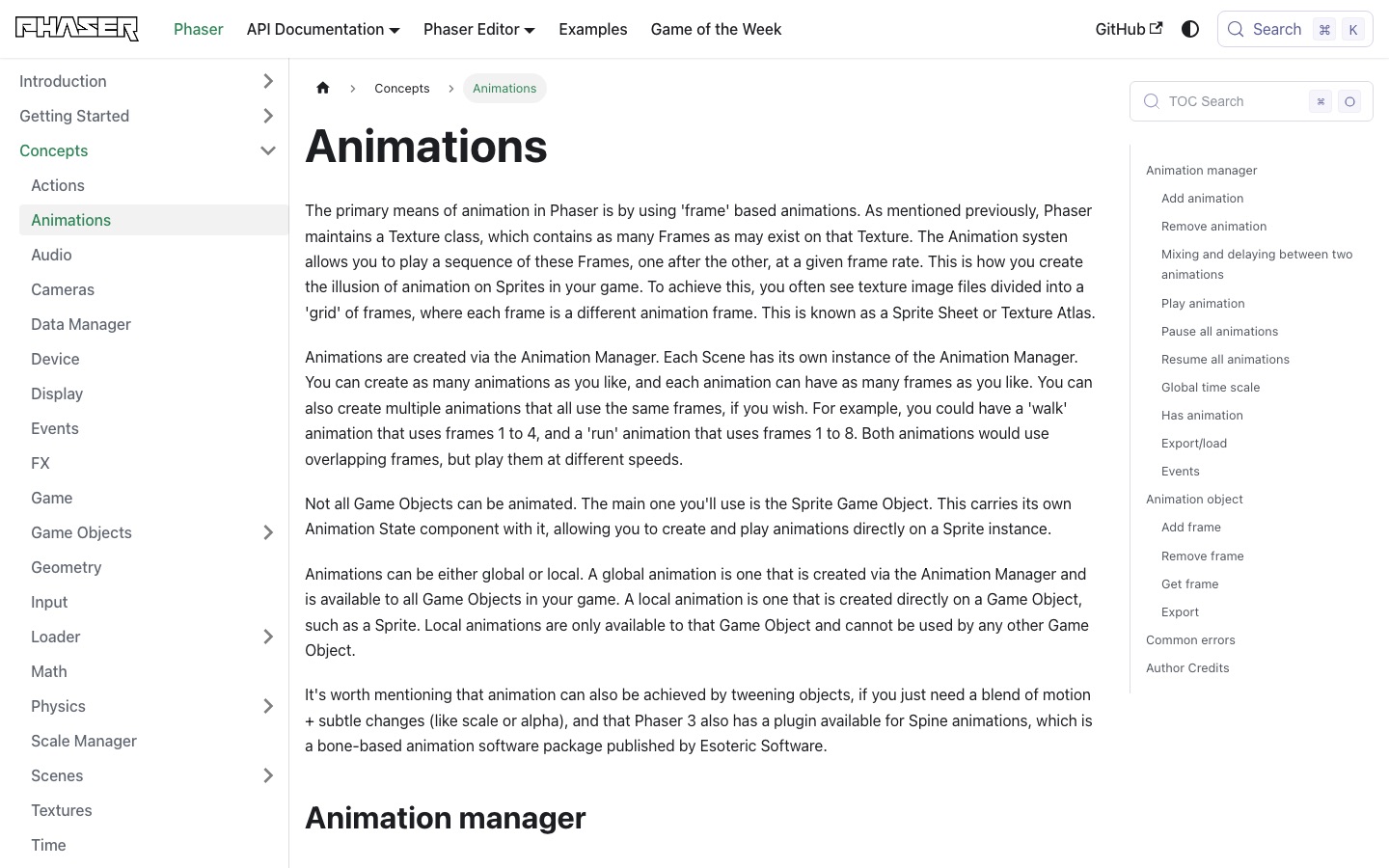
Phaser and Godot both treat sprite animation as ordered frames with timing controls. Export order, frame duration, repetition, and events should therefore be part of the asset definition, not an undocumented engine-side guess.
Test Motion Against Gameplay
Play animations at the game's actual scale and speed. Check collision timing, attack telegraph, hit confirmation, transition popping, and whether the character remains legible over production backgrounds.
For a fast combat test, place the sheet in an action-oriented prototype; for a dialogue-heavy character, validate quieter loops in an RPG context.
Worked Example: An Eight-Direction Combat Character
Start with one approved neutral model sheet and decide whether the game truly needs eight authored directions. A top-down action game may need north, south, east, and west with mirrored diagonals, while an asymmetrical shield or weapon can make mirroring incorrect. Document this before generating frames.
Create key poses for idle, locomotion contact, attack anticipation, impact, recovery, and hit reaction in one direction. Validate body mechanics and silhouette first, then propagate the motion to other directions. This prevents eight simultaneous versions of the same broken timing.
| State | Key review frame | Gameplay contract |
|---|---|---|
| Idle | Loop seam | Returns without a visible pop |
| Walk | Foot contact | Speed matches controller displacement |
| Attack | Impact pose | Hitbox and effect align with active frame |
| Hit | First reaction frame | Damage reads immediately |
| Transition | Last-to-first pose | No scale or anchor jump |
Separate Pose Approval From Timing Approval
Pose approval asks whether each key image communicates the action and preserves character identity. Timing approval asks how long the player sees anticipation, contact, recovery, and the loop seam. Combining the two makes reviewers argue about a weak drawing and a weak rhythm at the same time.
Use a timing sheet that records frame index, duration, gameplay event, invulnerability or hitbox window, sound cue, and transition permission. The sprite sheet becomes an interface between art and gameplay code rather than a row of images with undocumented meaning.
- Approve silhouette and anatomy on key poses before in-betweens.
- Record per-frame duration instead of assuming every frame is equal.
- Mark gameplay events such as footstep, projectile spawn, hitbox, and recovery.
- Keep a fixed pivot and collision reference independent of visible trimming.
Fix Jitter, Sliding, and Broken State Changes
Jitter usually comes from changing anchors, canvas trimming, proportions, or camera framing. Foot sliding comes from a mismatch between sprite displacement and controller speed. A broken transition often comes from incompatible silhouettes or a state machine switching before recovery is complete.
Phaser's animation system exposes frame order, rate, repeat, delays, and events; Godot provides similar frame-based controls. Use those runtime controls deliberately instead of baking every timing decision into equal-width image sequences.
| Symptom | Likely cause | Next check |
|---|---|---|
| Body shakes | Anchor or proportions drift | Overlay frames and normalize pivot |
| Feet slide | Animation speed and movement speed disagree | Tune duration or controller displacement |
| Attack feels weak | No anticipation or held contact frame | Rebalance key-pose timing |
| State pops | Transition begins from incompatible pose | Add exit frame or transition rule |
| Atlas bleeds | Insufficient padding or filtering | Repack with safe margins |
Sprite Sheet Handoff Checklist
Deliver the sheet together with metadata. At minimum, include frame dimensions, state ranges, direction order, pivot, playback rate, loop setting, event frames, and whether the runtime may mirror the art.
Test the metadata after atlas packing. Automated trimmers can change the visible rectangle while gameplay still expects a stable ground point, weapon socket, or collision reference.
- Every frame uses the same logical canvas and coordinate system.
- Character proportions, palette, outline, weapon hand, and light direction remain stable.
- State ranges and direction order are named and machine-readable.
- Loop seams and one-shot recovery frames are reviewed at target speed.
- Hitboxes, projectiles, sounds, and effects align with documented event frames.
- The final packed atlas is tested in the target runtime, not only an editor preview.
What the Primary Sources Establish About AI Sprite Sheet Workflow
Our evidence baseline starts with the Phaser animation concepts, accessed August 20, 2026. We use it to establish documented behavior, terminology, or constraints—not to claim that the source endorses Elseland's workflow or conclusions. The practical artifact under review is a character anchor sheet, keyed poses, normalized frame grid, and tested animation state machine.
That distinction is central to E-E-A-T. A first-party page can establish what a format, tool, platform, model, or game team publicly documents. It cannot prove that a particular asset is fast, accessible, legally cleared, fun, or production-ready. Those conclusions require separate observation, measurement, specialist review, or player evidence tied to the actual project.
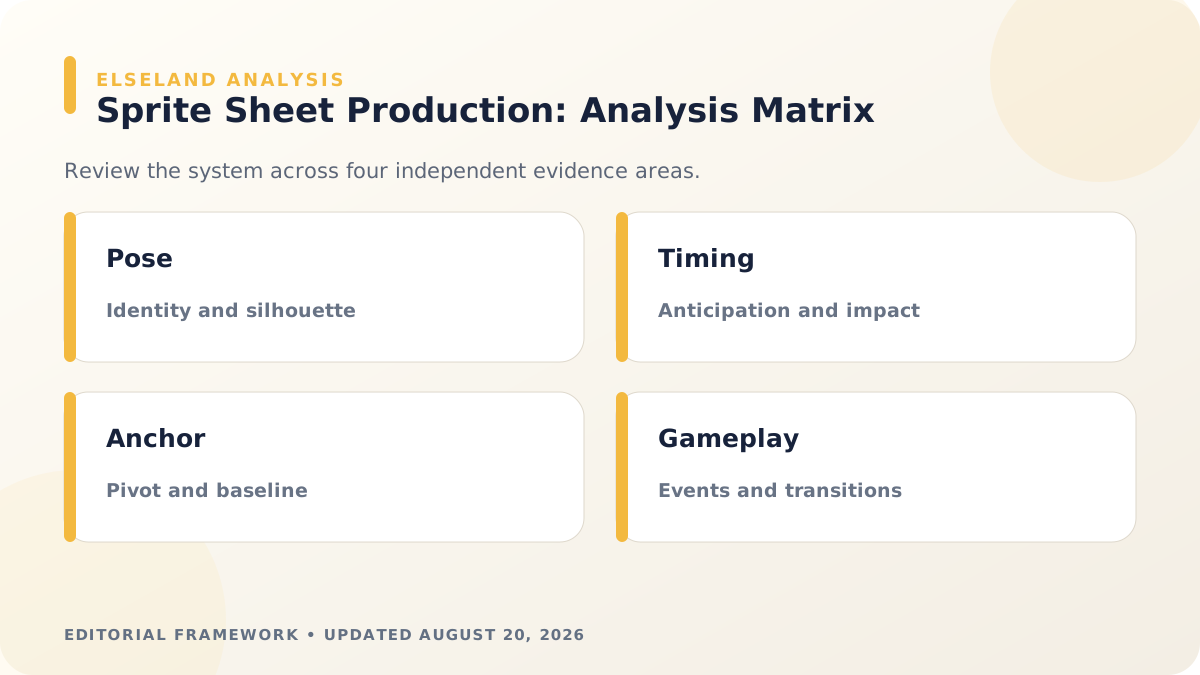
For this topic, the decision is whether the sequence preserves identity, timing, contacts, and gameplay events. The following observations turn the official reference into a reviewable production record rather than a decorative citation:
| Evidence layer | What it can support | What it cannot support alone |
|---|---|---|
| Official source | Documented feature, rule, format, or published design context | Project-specific quality or universal performance |
| Project measurement | Observed behavior in a named build, scene, device, or sample | Unmeasured platforms or future versions |
| Human review | Usability, visual, editorial, and production judgment | Legal certainty or population-level player behavior |
| Release record | Who approved what, when, with which evidence | Permanent compliance after inputs or rules change |
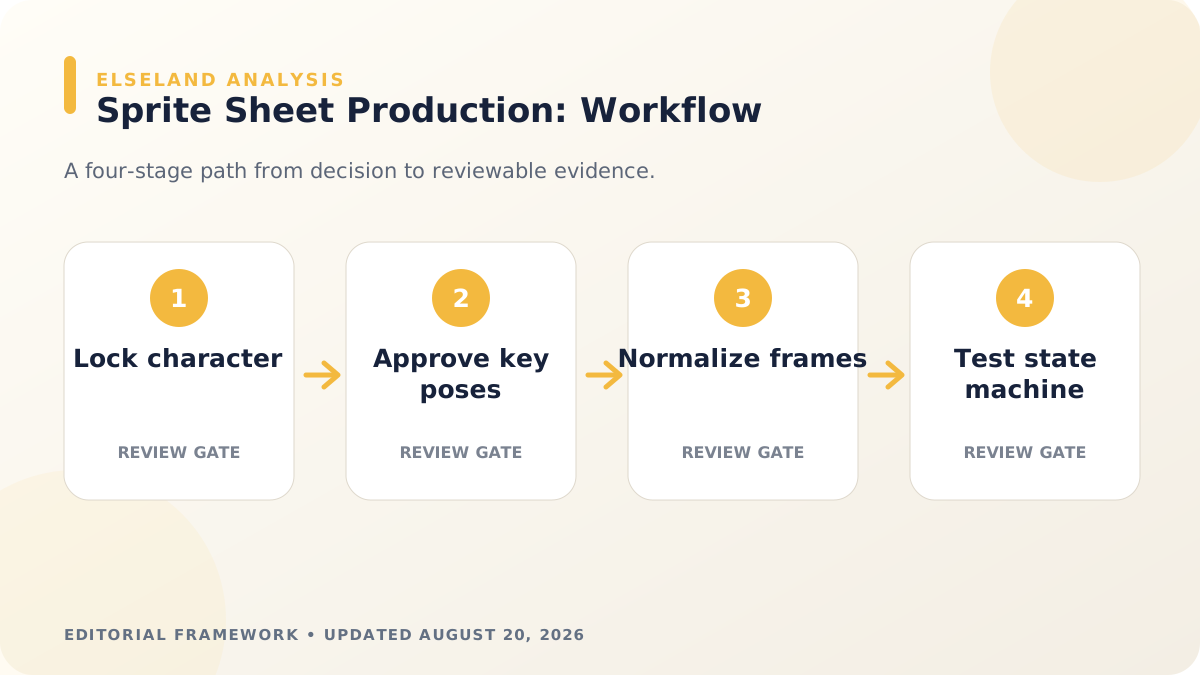
- 1. approve identity and proportions before requesting motion. Store the result with the asset or build identifier so another reviewer can reproduce the conclusion.
- 2. judge anticipation, action, recovery, and spacing rather than frame beauty alone. Store the result with the asset or build identifier so another reviewer can reproduce the conclusion.
- 3. track a stable ground point and pivot across the sheet. Store the result with the asset or build identifier so another reviewer can reproduce the conclusion.
- 4. test transitions and gameplay events in the actual controller. Store the result with the asset or build identifier so another reviewer can reproduce the conclusion.
A Field Review Protocol for AI Sprite Sheet Workflow
Use this protocol after the first plausible output exists and before scaling the workflow. Keep one untouched baseline, one candidate revision, and one deliberately stressed case. The stressed case should expose the topic's likely failure mode—crowded scenes, extreme poses, small-screen play, unusual inputs, or a release-rule change—rather than merely repeat the easiest success case.
Run the review in the real delivery context whenever possible. Capture the tool or model version, source files, settings, target device or engine, date, and reviewer. If the work depends on a changing external service, record the response or exported artifact instead of assuming the same output can be recreated later.
A useful review ends with a decision and a next action. “Looks good” is not a gate. State whether the candidate passes, passes with a bounded exception, needs revision, or should be rejected; identify the evidence behind that status and the owner of the next check.
| Review status | Meaning | Required next action |
|---|---|---|
| Pass | All defined visual, technical, and release gates are supported by evidence | Freeze the reviewed artifact and link it to the build |
| Conditional pass | A known limitation is bounded and does not invalidate the intended use | Document the exception, owner, and trigger for re-review |
| Revise | The direction is viable but one or more gates remain unsupported | Change one controlled variable and repeat the affected checks |
| Reject | The candidate conflicts with the intended use, evidence, rights, safety, or budget | Preserve the record and choose a different approach |
- list required states, directions, frame budgets, and event frames. Record the expected result before the check, then attach the observed result and any exception after it.
- create key poses before generating or drawing in-betweens. Record the expected result before the check, then attach the observed result and any exception after it.
- normalize canvas size, alignment, palette, and transparency. Record the expected result before the check, then attach the observed result and any exception after it.
- remove duplicate or contradictory frames. Record the expected result before the check, then attach the observed result and any exception after it.
- configure frame rate, looping, hit events, and transitions. Record the expected result before the check, then attach the observed result and any exception after it.
- play every state in context at the final display scale. Record the expected result before the check, then attach the observed result and any exception after it.
Expert Interpretation and Limits of This Game Art & Visuals Guide
The strongest conclusion this guide can support is a conditional production recommendation: use the workflow when its documented assumptions match the project, and keep the evidence needed to revisit the decision. We do not infer universal model quality, player preference, legal clearance, or performance from an official screenshot, a provider example, or a single successful asset.
Experience matters here because ai sprite sheet workflow crosses creative judgment and implementation detail. The practical review should include the people who will edit the source, integrate the result, test it in play, maintain it after release, and answer rights or policy questions. A narrow expert handoff often misses problems that appear only when those responsibilities meet.
Before publishing or shipping, repeat time-sensitive checks against the current source and exact build. Preserve dated evidence, disclose the evaluation method, and distinguish measured results from editorial inference. That record is more valuable than a confident conclusion that future reviewers cannot reproduce.
| Claim type | Editorial treatment |
|---|---|
| Documented fact | Link to Phaser animation concepts and include the access date |
| Observed project result | Name the build, environment, sample, and method |
| Expert judgment | State the criteria, reviewer role, and tradeoff |
| Inference or forecast | Label it explicitly and describe what evidence could change it |
- Evenly spaced frames do not create convincing motion without intentional timing.
- A clean sheet can still jitter when pivots or feet drift.
- Generated in-betweens may change costume details or anatomy between frames.
- Animation preview alone cannot validate hitboxes, input windows, or state priority.
Frequently asked questions
Can AI make a complete sprite sheet from one image?
It can propose frames, but consistent anatomy, costume details, pivots, timing, and action readability usually require guided generation and manual cleanup.
How many frames should an animation use?
Use the fewest frames that communicate the action at the target speed. Timing and strong key poses matter more than a universal frame count.
Why do AI sprite animations jitter?
Jitter usually comes from changing proportions, outlines, palette, camera position, or anchor points between frames. Normalize those before adding more in-betweens.
Should left-facing animation be generated separately?
Only when asymmetrical design, lighting, text, weapons, or gameplay meaning makes mirroring incorrect. Otherwise runtime mirroring reduces production work.
Should sprite sheet frames all have the same duration?
Not necessarily. Equal timing is convenient, but anticipation, impact, holds, and recovery often need different durations. Use per-frame timing when the engine supports it, or duplicate frames deliberately and document why.
How should hitboxes relate to sprite frames?
Keep gameplay collision independent from decorative pixels, then activate attack or vulnerability regions on documented frames. Review the relationship in motion because a visually large swing may have a deliberately shorter active window.
Is trimming transparent space safe for animated sprites?
Only when metadata preserves a stable pivot and the runtime honors it. Otherwise each trimmed frame recenters differently and the character appears to jitter. Test the final packed atlas before approval.
What is the best way to review AI-generated animation continuity?
Overlay neighboring frames, play at target speed, and inspect key body landmarks such as head, hips, hands, feet, and weapon sockets. Review one direction and state family at a time before multiplying the asset set.
Sources and further reading
- Phaser animation concepts
Official documentation for creating and controlling frame animations in Phaser.
- Godot 2D sprite animation
Official workflow for Sprite2D and AnimatedSprite2D animation.
- Unity Sprite Atlas API
Official sprite atlas reference for Unity runtime integration.
Next step