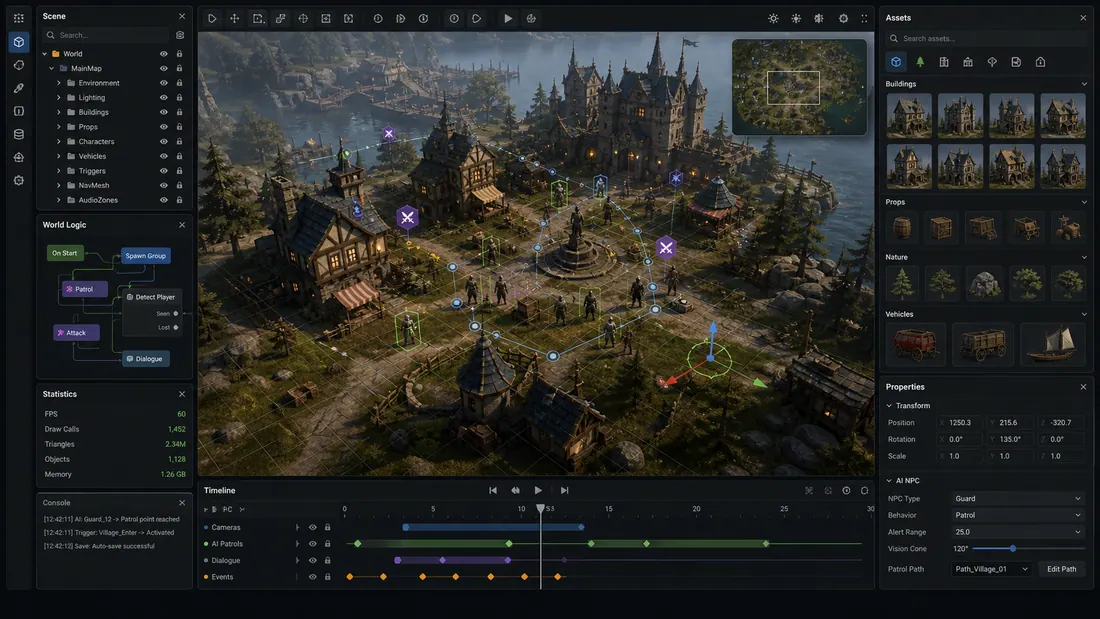
The best AI for making games is the one that removes the current bottleneck. A beginner who needs a playable idea can start with the Elseland AI game maker, while a Unity developer debugging a scene or an artist producing dozens of props needs a different level of project access.
Instead of asking which product can do everything, decide what must exist at the end of the next work session: a playable loop, a changed engine project, working code, or an importable asset.
Quick read
Key takeaways
- Elseland AI is the most direct fit here for testing a no-code playable idea.
- Unity AI and Roblox Assistant are stronger when the project already lives inside their engines.
- Meshy and Sloyd focus on 3D assets rather than complete game logic.
- Use multiple specialist tools only after the core loop is clear.
Best AI Game Tools by Job
| Tool | Best for | Works where | Concrete workflow signal | Main tradeoff |
|---|---|---|---|---|
| Elseland AI | Prompt-to-playable ideation | Browser and app workflow | Describe → generate → playtest → remix | Less low-level control than a full engine |
| Unity AI | Project-aware Unity assistance | Unity 6.0+ editor | Assistant, AI Gateway, and official MCP Server | Best fit only for Unity projects |
| Roblox Assistant | Scripts, objects, meshes, and playtests | Roblox Studio | 10,000-triangle mesh default; up to 8 segmented parts | Tied to Roblox’s platform and policies |
| Meshy | Text/image-to-3D drafts | Web, then export | 6 documented formats including FBX and GLB | Models still need engine QA |
| Sloyd | Controllable props and hard-surface assets | Web plus engine plugins | Parametric templates and adjustable topology | Narrower than a full game maker |
Best AI for a First Playable Game
Choose Elseland AI when the goal is to turn a prompt, mechanic, character, or story into a small loop you can play and remix. It is a better fit for concept validation than an assistant that only returns code snippets.
The key advantage is sequence: describe, generate, playtest, and revise. A useful first-loop brief fits on one screen: one verb, one goal, one failure condition, a 30–90 second round, and one variable that changes on replay.
Best AI Inside a Game Engine
Unity AI is designed around project-aware assistance in Unity 6.0+, including scene, GameObject, and component context. As of July 28, 2026, Unity’s official page lists a Personal trial with 1,000 one-time credits usable for 14 days, followed by a $10 monthly option with 1,000 credits; its official MCP Server does not consume those credits.
Roblox Assistant can create or modify objects and scripts, insert assets, generate materials and meshes, and act directly inside Studio. Its mesh generator defaults to a maximum of 10,000 triangles; procedural generation is limited to 50 models in a rolling 24-hour window, and segmentation supports up to eight parts per generated asset.
These tools are strongest when you already know the destination engine. They can reduce setup and repetitive editing, but generated changes still need code review, playtesting, performance checks, and source control.
Best AI for Game Assets and 3D Models
Meshy is a flexible option for generating and exporting 3D drafts, with six documented formats: GLB, FBX, OBJ, STL, USDZ, and 3MF. Use a 3D game maker brief to define scale, camera distance, collision, and modularity before you generate a full asset batch.
Meshy recommends FBX for Unity and Unreal, while GLB embeds textures for web delivery. Sloyd emphasizes controllable, optimized assets and plugins that move models into common creation tools.
Neither replaces the final asset pass. Verify scale, topology, pivots, UVs, materials, collision, LODs, rigging, animation, and usage rights inside the real target project.
Run a 60-Minute AI Game Tool Test
Use the same compact brief for every candidate and stop after one hour. The goal is not a polished game; it is evidence about how much useful work survives after generation.
| Time box | Deliverable | Pass condition |
|---|---|---|
| 0–10 min | Project and prompt setup | The tool understands the target platform and core verb |
| 10–25 min | First generated result | A player can start, act, and receive feedback |
| 25–40 min | One requested revision | The change improves the loop without breaking the first version |
| 40–50 min | Export, diff, or handoff | Files, scene changes, or assets can be inspected |
| 50–60 min | Playtest and notes | You can name the next three tasks and the cleanup cost |
How to Choose the Best AI for Making Games
- Choose a playable-world tool if the rules and loop are still uncertain.
- Choose an engine-aware assistant if the project structure already exists.
- Choose a code assistant when implementation speed is the bottleneck.
- Choose a 3D generator for placeholders, variations, and early asset exploration.
- Keep the human review gate for design, safety, licensing, performance, and release quality.
Frequently asked questions
Can AI make a complete game?
AI can accelerate concepts, code, assets, and testing, but a complete release still needs production decisions and QA. Larger games also require platform setup, performance work, rights checks, and ongoing maintenance.
What is the easiest AI game maker for beginners?
A prompt-to-playable workflow is usually easier than starting in a full engine. It lets a beginner test one loop before learning deeper production tools.
Is Unity AI the same as Unity Muse?
No. Unity’s official page describes Muse as deprecated and Unity AI as the newer product with Assistant, Gateway, and MCP capabilities.
Can Roblox Assistant build scripts and objects?
Yes. Roblox documents that Assistant can create and modify scripts and objects in a place’s data model, but it also warns that generated results must be playtested.
Which AI is best for 3D game assets?
Meshy and Sloyd are strong current options for different workflows. Compare the same reference asset and inspect the imported result rather than judging only the web preview.
Do AI game tools remove the need to code?
They can remove coding from an early prototype or automate parts of an engine workflow. Custom systems, debugging, optimization, and platform integrations may still require technical work.
How should a small team combine AI tools?
Use one primary tool for the core loop and add a specialist only for a clear bottleneck. Too many generators create inconsistent assets and extra integration work.
What should I check before shipping AI-generated work?
Review functionality, performance, accessibility, licenses, platform disclosures, and art consistency. Keep source files and a record of how each generated asset was created.
Sources and further reading
- Unity AI
Official description of Unity AI Assistant, Gateway, and MCP Server.
- Roblox Assistant for Studio
Official documentation for project actions, scripts, meshes, and playtesting.
- Meshy export formats
Official engine-oriented export guidance.
Next step