GPT-6 Astra can help a non-coder build a website when it is connected to an appropriate coding or site-building environment. But using GPT-6 Astra as a website builder does not remove the need to decide what the site does, check its behavior and control publication. A page that looks finished may still contain a form that saves nothing.
Start with a small, testable site instead of an open-ended request to build a business. This guide offers a proposed workflow based on official documentation and web-accessibility guidance. It is not a report of a website we generated or a promise that one prompt will produce a production-ready application.
Choose the website before choosing the workflow
A portfolio, event page or simple information site is a different project from a store, membership service or multiplayer application. The first group can often begin with static content and straightforward navigation. The second needs decisions about accounts, data storage, permissions and failure recovery. The visual design alone does not resolve those requirements.
OpenAI’s Astra release describes website creation and frontend checking among its capabilities. Treat that as a reason to try a bounded project, not evidence that every model interface includes hosting, a database or the same tools.
If you cannot explain what a visitor should accomplish in one sentence, narrow the project. For example: a visitor can read the event details and open an existing registration service. That is easier to verify than a new registration system handling personal information from day one.
Give Astra a brief it can build against
Describe the audience, the main action and the content you already have. Separate required features from nice-to-have ideas. Supply assets you have permission to use, and identify any text that must remain unchanged. Ask the assistant to list assumptions before introducing new services or dependencies.
A useful example brief is: build a private preview for a community game night, with a schedule, location, accessibility information and a button to an existing registration page. Do not collect personal data, invent testimonials or publish the site. Keep the layout readable on a phone and usable with a keyboard.
This brief is an instructional example, not an executed test. Its value comes from observable requirements. You can check the schedule against your source, test the button and inspect the narrow-screen layout without needing to understand every line of generated code.
Keep the preview separate from publication
The model and the hosting product are separate layers. The Sites documentation describes site-building and sharing controls, with availability and permissions depending on the account and workspace. Check the controls actually available to you rather than assuming a model subscription grants every publishing feature.
When working in a local coding environment, ask where the files are saved, how the preview runs and what happens when the process stops. A local address normally depends on that computer and service. It is not automatically a durable link that other people can open.
Maintain a recoverable version before each substantial change. Review a private preview first, then separately approve the audience, hosting destination and any collection of visitor data. Asking for a website does not have to mean asking for immediate public deployment.
Test actions, not just the screenshot
Write down the expected result of each visible control. A button should navigate or perform a real action; a form should explain success and failure; an empty list should remain understandable. Test a second attempt and an invalid input, not only the easiest path through the page.
The W3C Easy Checks guide provides an accessible starting point for reviewing headings, image alternatives, contrast and keyboard access. These preliminary checks help reveal problems but do not constitute a complete accessibility audit.
Use real devices where possible. Enlarge text, tab through controls and verify that the focus indicator stays visible. Ask Astra to explain each failed check and show the correction, then repeat the original action yourself. An automated test passing does not replace the visitor’s experience.
- Navigation: Every link reaches its intended destination.
- Interaction: Every button has a clear, repeatable result.
- Forms: Errors are understandable and submissions reach the intended service.
- Layout: Small screens and enlarged text remain usable.
- Content: Names, dates, claims and image permissions are checked.
- Recovery: A previous working version can be restored.
Learn from a working interaction
For a game-related site, separate the surrounding website from the game runtime. A promotional page can describe a game and link to it without containing the game itself. Adding an embedded game introduces additional questions about loading, controls, mobile behavior and what happens if the game fails.
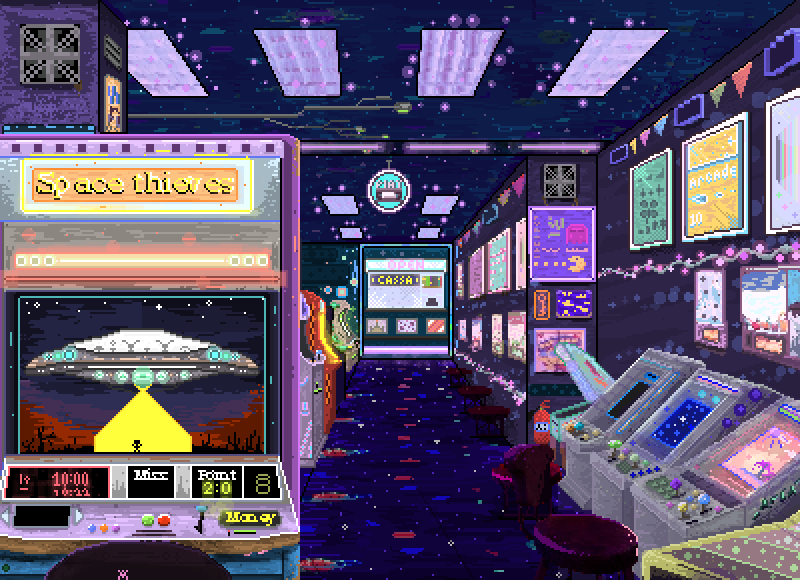
Before writing your brief, browse browser games and note how a real player finds the starting action and returns after a session. Use those observations to describe your own navigation and feedback requirements. They are design references, not evidence that Astra produced those games or that Elseland offers a website builder.
Keep the first version modest: a clear description, an honest play link and a useful explanation of the controls. Add accounts, scores or community features only when you can also define how they are secured, supported and tested.
Know when to bring in a developer
A non-coder can direct a meaningful prototype without pretending that technical responsibility disappears. Get qualified help when the site handles payments, sensitive information, complex permissions or business-critical workflows. Do not place secret keys in page code or assume a hidden button protects a restricted action.
Ask for a handoff that explains the file structure, dependencies, hosting arrangement, configuration and remaining limitations. You should know how to change routine content and who can respond when something breaks. If the assistant cannot demonstrate a requirement, mark it unfinished rather than accepting a confident summary.
The practical answer is yes, with the right environment and a bounded brief. The better goal is not zero involvement: it is a site whose purpose, behavior and release decisions you understand well enough to own.
Sources and further reading
- Astra release
Choose the website before choosing the workflow
- Sites documentation
Keep the preview separate from publication
- Easy Checks
Test actions, not just the screenshot
Next step